Free up space in seconds with Cleanup Bot.
Your all-in-one storage cleaner to instantly delete duplicate photos, wipe junk emails, merge contacts, and compress large videos.
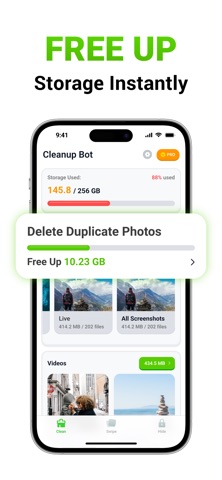
OPTIMIZE STORAGE – FREE UP SPACE WITH ONE TAP
Running low on space? Cleanup Bot gives you powerful tools to take control:
- Delete duplicate photos and videos
- Remove similar screenshots and lookalike videos
- Compress large files without losing quality
- Clean up spam and promotional emails
- Delete unused contacts and tidy up your address book
- Free up storage instantly with one tap.
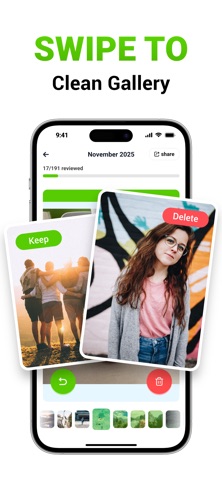
PHOTO SWIPE CLEANUP – DECLUTTER FAST
Decluttering your gallery made simple and fun:
- Swipe through your images to manage your camera roll quickly
- Organize and review your media by date
- Instantly detect and delete duplicate photos in bulk
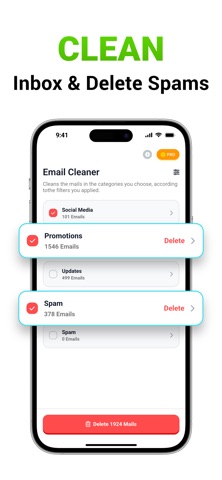
EMAIL CLEANER – DECLUTTER YOUR INBOX
Declutter your inbox in seconds:
- Highlight and remove promo, spam, and unread emails
- Clear out junk mail with one tap
CONTACTS CLEANUP
Keep your contacts organized and up to date:
- Merge duplicates
- Remove incomplete or unused entries
- View, edit, and back up from one place
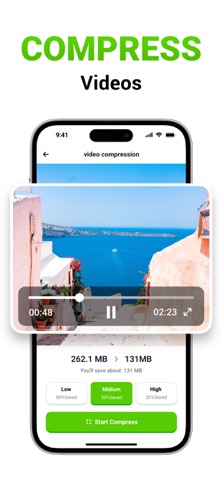
COMPRESS VIDEOS – SAVE SPACE, KEEP QUALITY
Save storage without deleting memories:
- Compress large files with minimal quality loss
- Select exactly which videos to compress
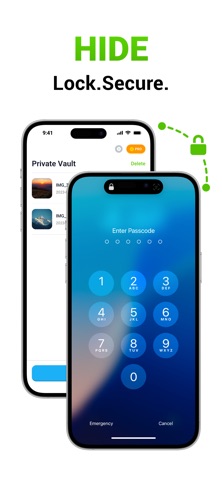
SECRET SPACE – HIDE WHAT’S PERSONAL
Hide personal content in a secure, PIN-protected vault only you can access.
EXCLUSIVE CHARGING ANIMATIONS
Turn charging into a personal moment with vivid, customizable animations.
OFFLINE AND PRIVATE
Your data stays private:
- No internet connection needed
- No files leave your phone
- No tracking or data misuse
Your privacy is fully protected — even we can't access your photos.
---
Payment & Subscription Terms:
Choose between the following subscription options for unlimited access to all features:
- Weekly Subscription
- Yearly Subscription
***You may cancel your subscription at any time***
Subscriptions can be managed by the user and auto-renewal can be turned off by going to the Account Settings after purchase:
- Open the Settings app.
- Tap your name.
- Tap Subscriptions.
- Tap the subscription that you want to manage.
Privacy policy: https://www.pocketechshare.com/cleanupbot_privacy_policy/
Terms of use: https://www.pocketechshare.com/cleanupbot_terms_of_use/