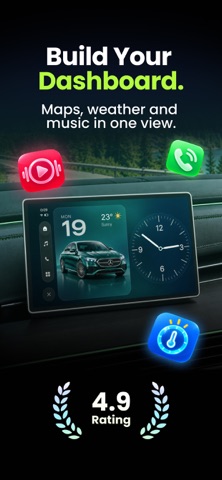
Turn your car screen into YOUR car screen. WiGet puts real, glanceable CarPlay widgets on your car dashboard — a custom clock widget, live weather, air quality and UV index, poster-style city map art, a photo of someone you love — designed by you on your iPhone and displayed right on your car display. Real widgets for CarPlay, no fakery, no phone mount.
CUSTOM WIDGETS FOR YOUR CARPLAY DASHBOARD
Craft every car widget to match your car's interior and your taste. Pick a style, a theme, an accent color — and watch your dashboard come alive on every drive.
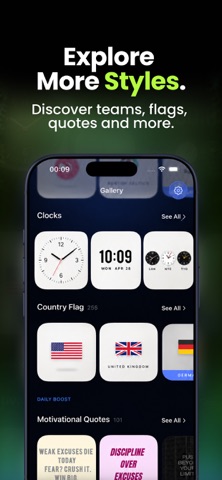
• Clock widgets — classic, digital and minimal faces, local time or any city in the world
• Weather widget — live conditions at your location, themed for the night drive
• Air Quality & UV Index — know the air before you roll the windows down
• City Maps — poster-style map art of 150+ cities, from New York to Tokyo
• Photo widget — a picture of your partner, your kids, your dog riding shotgun
• My Pet — your pet's photo with their age, always along for the ride
• Country flags — 250+ flags in beautiful themed designs
• Moon phase, date, year progress, day counters, daily quotes and more
A DASHBOARD DESIGNER, NOT JUST A WIDGET MAKER
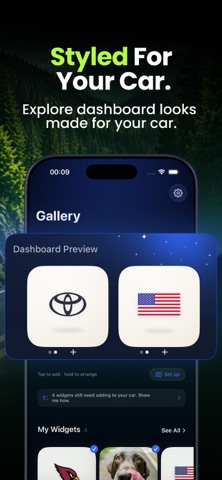
Plan your whole CarPlay dashboard in the app. Tell WiGet how many widget columns your car screen shows, stack up to five designs per column, arrange them exactly how you want — then follow the built-in checklist to match it in your iPhone Settings once. The app mirrors your real car screen, so what you design is what you drive.
LIVE FRAMES — REDESIGN FROM YOUR COUCH
Add a Frame widget to CarPlay one time. After that, swap what it shows — any widget, any design — right from the app. A fresh dashboard for the daily commute, a new one for the summer road trip — no setup, no Settings visit. Your car dashboard updates by itself.
CRAFT UNLIMITED CAR WIDGETS
Save as many designs as you like in your widget library. Two Photo widgets, five custom clocks, a city map of every place you've lived — switch your dashboard look in seconds.
MADE FOR DRIVERS
Everything is glanceable and distraction-free: big type, high contrast, dark themes tuned for real dashboards and night driving. Design while parked, enjoy while driving.
WIGET PRO
Start with a 3-day free trial, then US$39.99 per year or US$6.99 per week (auto-renewing; prices may vary by region). WiGet Pro unlocks every widget type, every theme and style, unlimited dashboard stacking and all six Live Frames. A generous free tier lets you design and drive with your first widgets at no cost — nothing you place is ever taken away.
REQUIREMENTS — PLEASE READ
WiGet uses Apple's CarPlay widgets, available on iOS 26 and later with a CarPlay-compatible vehicle. Widgets are added to your car's dashboard once via iPhone Settings (General > CarPlay > your car > Widgets) — WiGet walks you through it step by step. The number of widgets shown at once (1–3 columns) is decided by your car's screen. No CarPlay? WiGet's widgets work beautifully on your iPhone Home Screen too.
SUBSCRIPTION DETAILS
Payment is charged to your Apple Account at purchase confirmation. Your subscription renews automatically unless cancelled at least 24 hours before the end of the current period; the renewal is charged within 24 hours before the period ends. Any unused portion of the free trial is forfeited when you purchase a subscription. Manage or cancel anytime in iOS Settings > Apple Account > Subscriptions.
Privacy Policy: https://courageous-finch-ca3.notion.site/Privacy-Policy-for-Car-Widgets-Dashboard-WiGet-39a875ced64d8017a004d75096cf6693
Terms of Use: https://courageous-finch-ca3.notion.site/Terms-of-Service-for-Car-Widgets-Dashboard-WiGet-39a875ced64d80bea634cd023d3cd3eb
Contact: hello@aistudio.works
Your car. Your screen. Your widgets. Download WiGet free and make your dashboard yours.



 +4
+4