Make your iPhone and CarPlay dashboard feel more personal every time you drive.
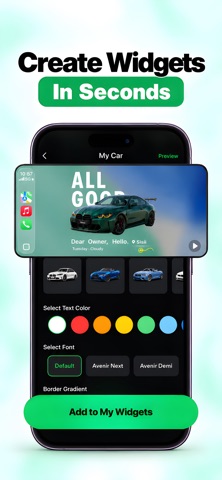
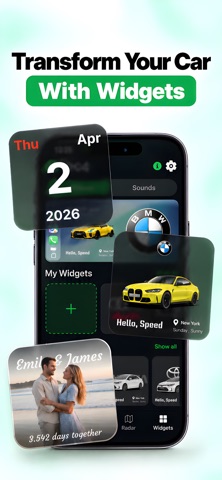
Create small widgets inspired by your car and your style for your iPhone Home Screen, then add them to your CarPlay dashboard on iOS 26. Start with a photo, then build a clock, date card, countdown, moon phase, affirmation, badge, flag, or custom text design. Pick colors and layouts that suit your setup.
CAR-INSPIRED WIDGETS
Choose from dashboard-style cards, vehicle artwork, photo layouts, countdowns, clocks, and decorative themes. Browse and customize freely; saving widget designs requires Pro.
TEXT AND LYRIC-STYLE CARDS
Design music-inspired cards using words, titles, and artist lines you enter yourself. The app does not include or synchronize a licensed lyrics catalog.
STATIC MOTION-POSTER LOOKS
Create bold poster-style widget cards. These are static WidgetKit designs, not video playback.
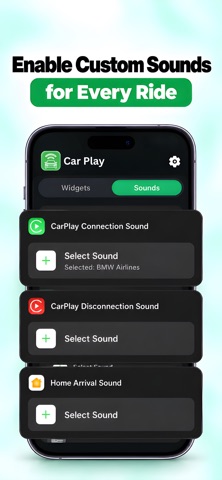
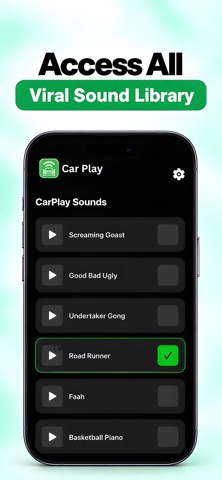
OPTIONAL RIDE SOUNDS
Use Apple Shortcuts to trigger a selected sound when CarPlay connects, disconnects, or when an automation runs after you arrive home. iOS runs the automation; the app supplies the shortcut actions and sounds.
IMPORTANT
Widgets appear on your iPhone Home Screen, and on iOS 26 you can also add them to your CarPlay dashboard. The app does not modify, reskin, or control the CarPlay interface. It does not read vehicle data or show live speed, fuel, mileage, or range, and it does not request location access.
Privacy Policy: https://noamr13.github.io/n5labs.github.io/privacy/carminder
App Terms: https://noamr13.github.io/n5labs.github.io/terms/carminder
Apple Standard EULA: https://www.apple.com/legal/internet-services/itunes/dev/stdeula/