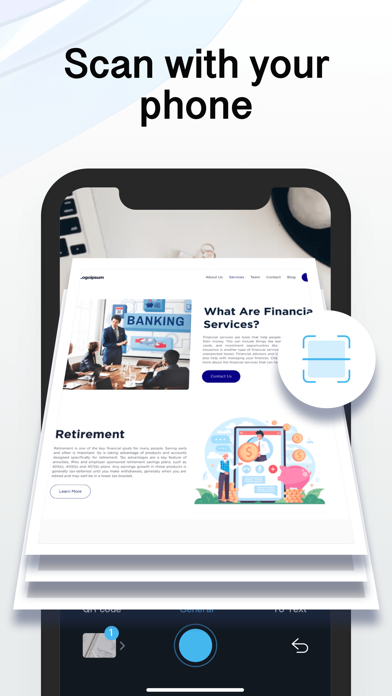
Looking for a mobile assistant? Try the Camera Scanner app to corral your paperwork and scan documents on the go!
Effortlessly scan, organize, and share documents on the go to have everything you need at your fingertips. Camera Scanner brings you high-quality document scan technology in a convenient and simple mobile app. Scan agreements, receipts, IDs, books, and more using your device to convert them into PDFs in seconds. Safely store and share your documents with anyone in just a few taps with Camera Scanner.
Share, email, and upload your scans anywhere with cloud compatibility. With Scanner Pro you can share as many scans as you want completely free. Simply send an email, upload to your photos, or use any third-party application to conveniently deliver scanned documents.
SCAN DOCUMENTS
1. Scan any document automatically or manually and save it as a PDF file or image.
2. Try various Camera Modes to scan specific types of documents.
3. Adjust the quality and file size of your scans: choose low, medium, or high quality.
4. Import documents right from Photos for further editing and sharing.
TRY CAMERA MODES
1. Single Mode captures a single page.
2. Multi Mode scans two pages at once.
3. Passport & ID Card Modes digitize your ID-documents.
4. Book Mode scans a two-page spread of a book.
5. QR Mode reads QR codes with your device’s Camera.
SCAN HIGH-QUALITY
SwiftScan uses the most advanced scanning technology in its scanner app. Scans start at 200 dpi, premium quality comparable to desktop scanners. Various color modes, auto-optimization and blur-reduction help you to get the most out of your scans.
SCAN QUICKLY
SwiftScan is blazingly fast and incredibly easy. Hold your iPhone over any document, receipt, whiteboard, or QR code to scan and save it as a PDF or JPG quickly. The edges of the document are automatically identified so that only the document itself is scanned. It captures the best possible image in the perfect moment.
SCAN ANYTHING
SwiftScan works with any type of document, from paper documents to business cards, QR codes, barcodes, notes- even whiteboards or post-its. It saves the documents that are important for you and gets rid of paper clutter.
*For advanced editing and file management, you can also try our Camera Scanner app!
Subscription payments will be charged to your App Store account at confirmation of your purchase. Subscriptions will automatically renew and you will be charged unless auto-renew is turned off or unless you cancel at least 24 hours prior to the end of the current subscription or trial period. Any unused portion of a free trial period will be forfeited when you purchase a premium subscription during the free trial period. The cost of renewal depends on the Subscription Plan you choose.
Subscriptions and auto-renewal may be managed by going to Account Settings after purchase or by contacting Customer Support.
Privacy Policy: https://sites.google.com/view/gamerascan-pp/%E9%A6%96%E9%A1%B5
Terms of Service: https://sites.google.com/view/camerascanner-tou/%E9%A6%96%E9%A1%B5