StoreIntel
AppsTop ChartsTrendingKeywordsMy Apps
Not affiliated with Apple Inc. App Store is a trademark of Apple Inc.Top chartsSupportTermsPrivacy

BreakingTime · Smart Reminder for Work & Rest

iDaily Corp. · Productivity · 11.5y old

Free
◆ ProTrack this app App Store

Performance · Worldwide

Est. downloads / month · WW

<5K

Below chart threshold

Est. revenue / month · WW

<$5K

Below chart threshold

Rating · WW

3.1★

11 ratings

Chart position

Rank history — US · Top Grossing

Apple's Top Grossing chart — all apps ranked by revenue (purchases + subscriptions).

Top FreeTop Grossing

Ratings count — US

11
◆ Pro1 chart locked

See the numbers behind the rankings

  • Keyword RankingsWhich App Store searches it ranks for, and where
Unlock everything

Listing

About

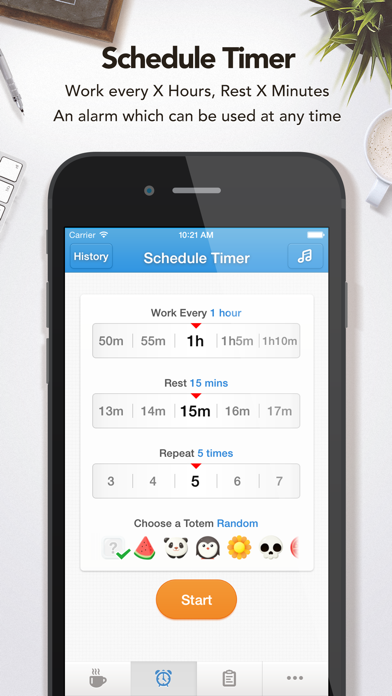
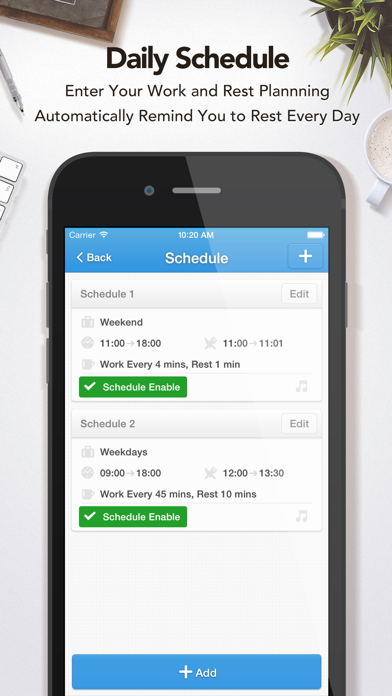
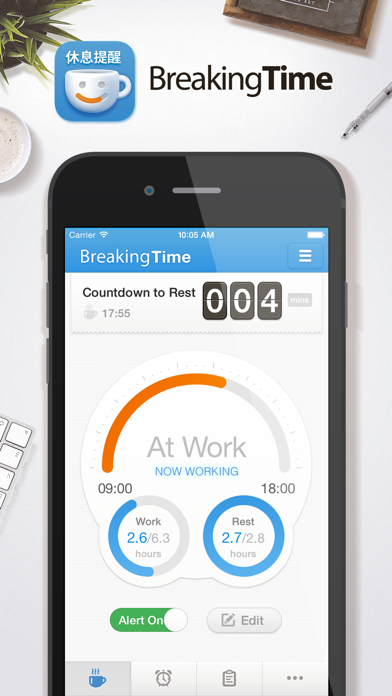
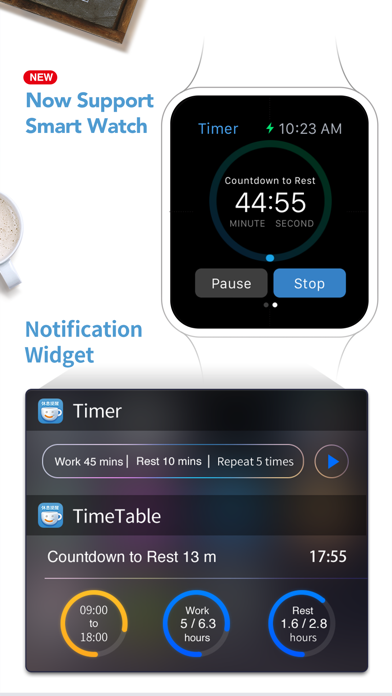
BreakingTime helps you improve your work habits, allows you to rest routinely during work, avoiding prolonged screen watching, sedentary lumbar injuries and other bad habits. = Special Feature = 1. Daily Schedule: Enter your work and rest plannning, automatically remind you to rest every day 2. Work Timer: Work every X hours, Rest X minutes, an alarm which can be used at any time 3. Charts Statistics: Intuitive and beautiful work-break chart 4. History: Support data Export and Share 5. Reminds Ringtones: A variety of sound options 6. More: More detailed features await your exploration Resting routinely makes your work more efficient and a better performance! Remember to stretch your body, drink and eat fruits during your break.
Released
May 4, 2015
Category
Productivity
Content rating
4+
Price
Free
In-app purchases
No
Developer site
clover.ly ↗
WWUSGBDEJPINBR

No chart data

No rank history yet for this selection.

→

Screenshots

5
BreakingTime · Smart Reminder for Work & Rest screenshot 1BreakingTime · Smart Reminder for Work & Rest screenshot 2BreakingTime · Smart Reminder for Work & Rest screenshot 3BreakingTime · Smart Reminder for Work & Rest screenshot 4BreakingTime · Smart Reminder for Work & Rest screenshot 5