Welcome to Beatlander: Your Ultimate AI Beat Generator!
Transform your musical ideas into professional-quality beats with Beatlander, the world's most advanced AI beat generator. Whether you're a seasoned musician or just love to create, Beatlander offers endless possibilities for your musical journey.
Two Powerful Modes:
Recording mode: Sing a melody and record it using the Beatlander's recorder. Beatlander will transform your melody into a professional-quality beat in your desired genre.
Generative Mode: Don’t feel like recording? Create a random industry-standard beat with just one tap. Perfect for those moments when you need instant inspiration (no recording needed).
Versatile Genre Selection:
Choose from a variety of genres, including Trap, Drill, Reggaeton, Phonk, Jersey Club, and many more. Tap "Select" to get started.
Customizable Recording:
Choose the length of your recording. Pick a specific musical scale for your song. Use the tempo slider to set your desired tempo and tap "Continue".
Easy Recording Process:
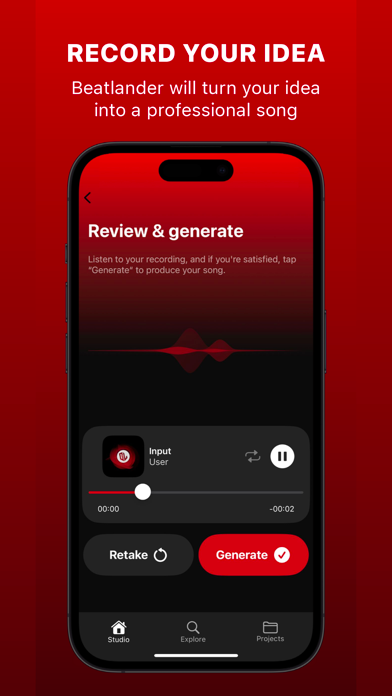
When you're ready, tap "Start" to launch the recorder. After a four-count countdown, sing your melody in time with the metronome clicks. Review your recording and, if satisfied, tap "Generate".
Instant Music Generation:
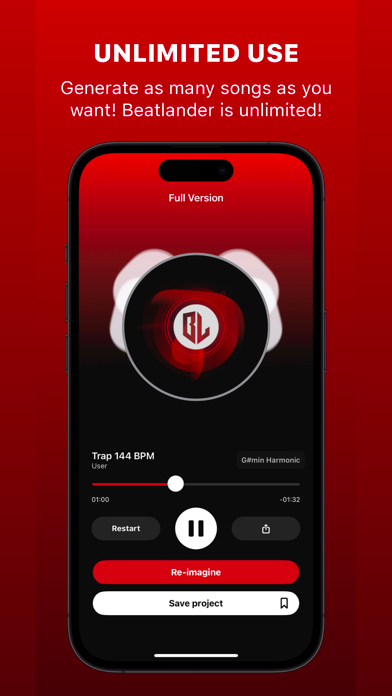
Within seconds, Beatlander converts your idea into music. You can tap "Re-imagine" for a new version of your track.
Full Song Generation:
Tap "Generate Full Version" to create the entire song. Save it to your library.
Export Your Music :
Visit your library, choose your project, and export your beat as a high-quality WAV file by tapping "Export".
Stem Exporting:
Export specific sounds from your track, such as drums or bass, by exporting the respective stem groups.
Beatlander Premium Subscription:
You can purchase a Beatlander Premium Subscription, an auto-renewing subscription that grants access to all Beatlander features. With a Beatlander Premium Subscription, you can create music in all genres available on Beatlander, export your songs and specific sounds (stem groups) as WAV files, and download AI-generated album art. Note: Payment will be charged to your iTunes account when you confirm your purchase. The subscription automatically renews for the same price and the duration period depends on the selected plan (monthly or annual), unless canceled at least 24 hours before the end of the current period. Subscription automatically renews unless canceled at least 24 hours before the end of the current period. You can turn off the auto-renewal feature at any time by changing your account settings. The following Beatlander Premium subscriptions are available (Price may change depending on your country):
• 1-month Beatlander Premium subscription - from US$ 12.99
• 1-year Beatlander Premium subscription - from US$ 119.99
Terms of Service (EULA): https://monoblank.wordpress.com/beatlander-terms-of-service/
Privacy Policy: https://monoblank.wordpress.com/beatlander-privacy-policy/