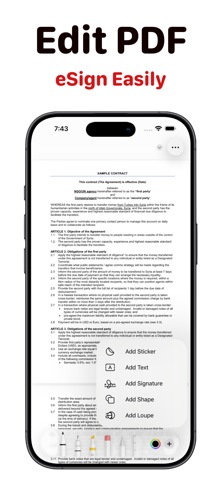
Sign PDF documents, contracts, and forms in seconds with E-Signature — the fastest electronic signature app for iPhone and iPad. Add your digital signature to any PDF, eSign agreements, and scan paper documents without printing, faxing, or scanning hassle.
Pick PDFs from Files, iCloud, Photos, or paste a URL. Scan paper documents with your camera and convert them to PDF instantly. Open any PDF or image directly from the Files app or other apps and start signing immediately.
Everything stays private. Your documents and signatures are stored locally on your device — your data never leaves your iPhone or iPad.
KEY FEATURES
Sign PDF documents from Files, iCloud, Photos, or URLs
Open PDFs and images directly from the Files app
Scan paper documents with your camera and sign them
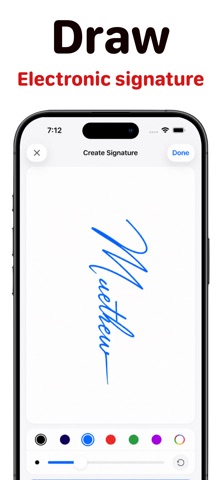
Draw your signature or type it with 20+ handwriting fonts
Capture a paper signature using your camera
Use the built-in signature generator to create signatures instantly
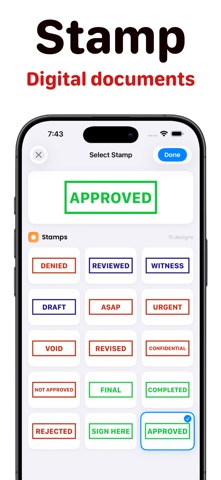
Add stamps, text, dates, and watermarks to any PDF
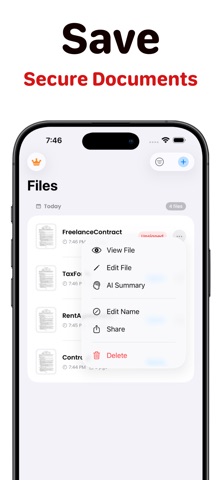
Generate AI summaries and key points from any document — powered by on-device Apple Intelligence
Control the document signer with Siri Shortcuts and voice commands
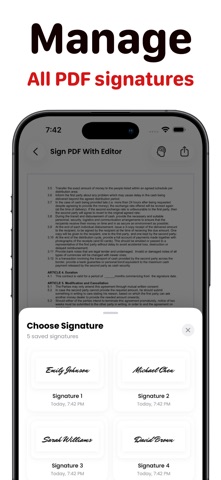
Save and manage multiple signatures with favorites
Browse, rename, and share all signed documents
Dark Mode support
Works completely offline — no internet required
WHY CHOOSE E-SIGNATURE
Faster than web-based signing tools — sign right on your iPhone
No account, no signup, no cloud — open the app and sign
The only document signer with built-in scanning, AI summaries, and Apple Watch support
Trusted digital signature app for freelancers, founders, and small business owners
SIRI SHORTCUTS
"Sign a PDF" — opens the file picker
"Scan and Sign" — launches the document scanner
"Sign from Photos" — pick an image to sign
"Open Last Document" — jump back to your most recent file
"Show My Signatures" — view all saved signatures
PERFECT FOR
Signing contracts and NDAs on the go
eSigning rental agreements and lease documents
Adding electronic signatures to invoices and proposals
Signing offer letters, consent forms, and authorization papers
Quick PDF edits with text, stamps, and annotations
SUBSCRIPTION DETAILS
E-Signature offers auto-renewable subscriptions to unlock premium features:
Weekly & Monthly Subscription along with Free trial availability
Payment will be charged to your Apple ID account at confirmation of purchase.
Your subscription will automatically renew unless cancelled at least 24 hours before the end of the current period.
Your account will be charged for renewal within 24 hours prior to the end of the current period at the cost of the chosen plan.
You can manage or cancel your subscription anytime in your Apple ID Account Settings.
Privacy Policy: https://esign-pdf-documents.nextpixelapps.app/privacy
Terms of Service: https://esign-pdf-documents.nextpixelapps.app/terms