AniEraser is an AI-powered photo and video editor for object removal, photo retouching, blurry photo fixing, video enhancement, video upscaling, and old photo restoration. Edit with a tap or simple text prompts and get clean, natural-looking results without complex tools.
Why Choose AniEraser?
● Powerful Image Object Remover
Remove unwanted objects, text, and background people from photos with one tap while keeping results clean and natural.
● High-Quality Video Object Remover
Erase distracting objects from videos without frame-by-frame editing. Improved AI delivers cleaner removals with more natural-looking results.
● All-New AI Video Enhancer
Restore detail, upscale videos, and reduce noise with General, Face, and Anime models.
● One-Tap AI Photo Enhancer
Enhance sharpness, refine lighting, and bring out natural-looking details with AI. Instantly improve portraits, selfies, and everyday photos.
● Photo Restoration & Colorization
Repair old or damaged photos and bring black-and-white memories back to life with natural, realistic color.
● Edit Photos with Words
Powered by Nano Banana 2: The world’s leading AI model for professional image editing. Describe what you want to change in plain language and let AI handle the edit.
● Creative Photo Templates
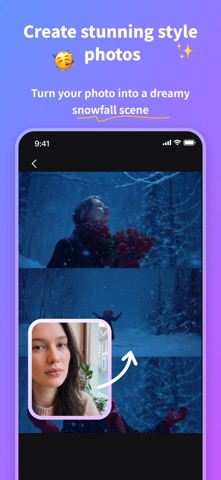
Explore regularly updated templates for stylized portraits and seasonal creations, including graduation photos, yearbooks, invitations, countdowns, and more.
● Professional Results, Zero Learning Curve
Get polished, seamless edits without complex tools or manual work.
Key Features
● AI-powered image object removal (smarter text & people removal)
● AI-powered video object removal (improved, more natural results)
● Edit photos with words using AI
● All-new AI Video Enhancer with General, Face, and Anime models
● Quick Edit presets for smart enhancement, relighting, upscaling, and blur correction
● Photo restoration and black-and-white colorization
● Regularly updated Chat Editor templates and style presets
● Continuous updates with new AI features
Perfect For
● Everyday photo and video editing
● Social media content creators
● E-commerce product images
● Enhancing low-resolution videos and photos
● Restoring old or damaged photos
● Graduation photos, yearbooks, and invitations
● Anyone who wants fast, professional-quality edits
Terms of Use: https://www.wondershare.com/company/terms_conditions.html
Privacy Policy: https://www.wondershare.com/privacy.html
We value your feedback.
Here’s how you can contact us: http://support.wondershare.com