Still struggling to read small text or make sense of instruction manuals? AI Magnifier: Read with Ease is your smart AI vision assistant—one app for magnifying, identifying objects, reading text aloud, and saving important information, making everyday viewing easier and more convenient.
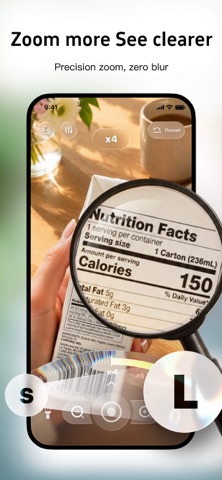
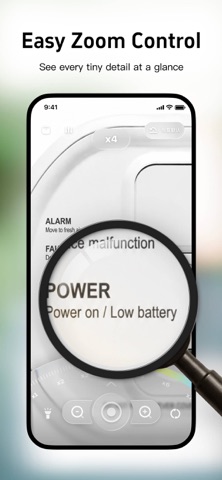
「10x Precise Zoom」
Freely adjust the magnification level to clearly display tiny text and details on medicine instructions, food labels, receipts, and documents with just one tap. See everything at a glance without straining your eyes.
「AI Voice Control」
Free up your hands with voice commands. Easily adjust zoom level, screen brightness, contrast, and more for a smoother, more convenient experience.
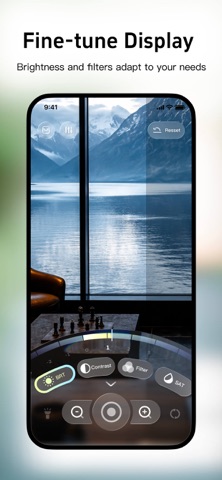
「Personalized Visual Adjustment」
Fine-tune brightness, contrast, and saturation, and choose from a variety of practical filters to adapt to different lighting conditions and viewing scenarios for greater eye comfort. Turn on the light with one tap in dark environments for clear viewing while reading at night or inspecting items in dim spaces.
「AI Smart Summary」
Point the camera at text-heavy scenes such as medicine packaging, instruction manuals, IDs, or receipts. The app automatically extracts key information and summarizes it, then saves important content to your memo folder for easy access anytime.
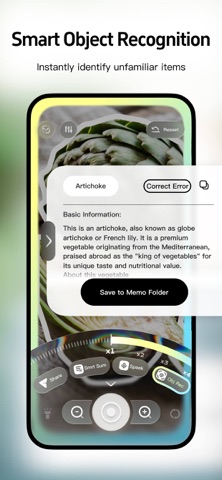
「Smart Object Recognition」
Scan unknown objects to quickly get their names and basic information. Learn about everyday items with ease.
「Real-time Text-to-Speech」
Automatically detect text on screen and read it aloud with one tap. Get information effortlessly even when your eyes are tired—especially friendly for older adults.
「Secure Notes Storage」
Keep all important recognized and summarized information in one place with organized categories. Access key content anytime, safely and conveniently.
A smart AI magnifier designed for everyday viewing, information extraction, and voice assistance—making details clear and reading effortless.
【VIP Membership Subscription Notice】
·Membership Benefits: Voice control, smart summarization, voice reading, and other features are available for unlimited use.
·Subscription Periods: Options include 1 week, 1 month, 1 year, etc.
·Payment: After confirming your purchase and completing payment, the amount will be charged to your iTunes account.
·Auto-Renewal: Your iTunes account will be automatically charged within the 24 hours before the current subscription period expires. Upon successful payment, your subscription will be extended by one subscription period.
·Cancel Auto-Renewal: To cancel auto-renewal, please manually turn it off in your iTunes/Apple ID settings at least 24 hours before the current subscription period expires.
User Agreement (including Subscription Service Terms): https://magnify.decjoy.com/ToS_en.html
Privacy Policy: https://magnify.decjoy.com/PP_en.html