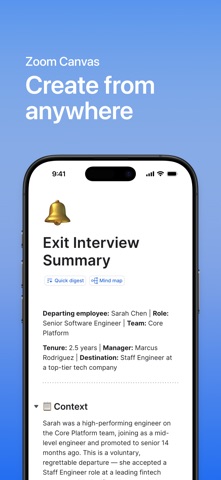
Zoom Canvas is the intelligent workspace that turns discussions and scattered information into structured, actionable knowledge. By connecting meeting insights, notes, and data into a single collaborative surface, teams can organize ideas, uncover trends, and create deliverables faster.
COLLABORATE ANYWHERE
• Open and read Canvas docs, project trackers, and meeting notes on the go.
• Create a new Canvas doc or data table from scratch, right from your mobile device
• Edit existing docs, add content blocks, and assign tasks to keep projects moving
• Leave feedback in real time by commenting on any content block, tag teammates, and keep conversations in context
• Share securely with role-based permissions (Co-owner, Editor, Commenter, Viewer) to keep your content in the right hands.
• Built on Zoom's secure infrastructure with admin controls, and compliance standards that protect your data and privacy.
• All your Canvas docs stay synced across mobile, desktop, and web through Zoom Hub so you can pick up right where you left off.
COMMON USE CASES
• Product Roadmaps: Review priorities, milestones, and owners in one shared view.
• Marketing Campaigns: Check content calendars, leave feedback, and track progress.
• Design Sprints: Read through frameworks and add comments to move ideas forward.
Free to try:
• Unlimited manual creation and edits
• 1,000 rows per data table
Privacy & Terms: By installing the app, you agree to these terms and conditions:https://www.zoom.com/en/trust/privacy/privacy-statement/https://www.zoom.com/en/trust/terms/
Zoom Communications, Inc.