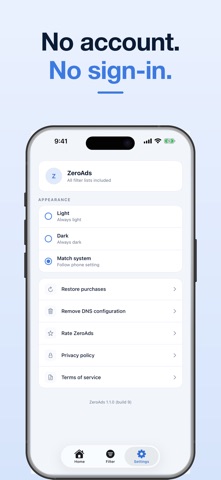
ZeroAds changes which DNS resolver iOS uses. That is all it does.
Pick a filter list and ZeroAds points your iPhone at the public encrypted-DNS
resolver that publishes it. That operator declines to resolve advertising and
tracking domains, so those domains never load — in apps and in Safari, not just
in the browser. Filtering happens on the operator's servers, using their own
published list.
EVERY FILTER LIST IS FREE
• Ads & Trackers — AdGuard DNS Default. Declines to resolve advertising and
tracking domains.
• Cloudflare Filtered — Cloudflare 1.1.1.2. Cloudflare's own flagged-domain
list. Advertising domains are not on it, so ads still load.
• Quad9 Filtered — Quad9 9.9.9.9. A non-profit resolver applying its published
block list. Advertising domains are not on it, so ads still load.
• Family — AdGuard Family. Advertising and tracking domains plus adult-content
domains.
Switch lists whenever you like. Changing list is instant, and so is turning
filtering on and off.
A SAFARI RULE LIST IS INCLUDED
ZeroAds ships a content blocker for Safari that you switch on in Settings. It
handles what DNS cannot reach: ad slots left behind in the page layout, and
cookie-consent banners served by the site itself. You turn it on under
Settings › Apps › Safari › Extensions › ZeroAds.
NO VPN
ZeroAds does not use a VPN or a packet tunnel. There is no VPN icon in your
status bar, nothing runs in the background, and there is no battery cost from
a tunnel. iOS sends DNS queries straight to the resolver you chose.
WHAT ZEROADS DOES NOT DO
• It does not scan your device, check it for viruses or malware, or look for
security or privacy problems.
• It does not inspect your traffic.
• It runs no server of its own and never receives your DNS queries.
• It shows no count of what was blocked. iOS gives the app no visibility into
what the resolver did, so any number here would be invented.
HOW iOS HANDLES THIS
iOS keeps the choice of DNS resolver with you. When you turn the filter on, iOS
may ask you to allow it — tap Allow and you are done. If it does not ask, the
choice lives in Settings and ZeroAds walks you there. You can switch back to
Automatic at any time under Settings › General › VPN, DNS & Device Management.
Filter lists are operated by AdGuard, Cloudflare and Quad9. Each operator's
privacy policy is linked inside the app.
———
All four filter lists are free in this version.
ZeroAds Pro subscriptions (monthly, yearly) and a one-time Lifetime purchase remain available to supporters. They are not required for any feature. Payment is charged to your Apple Account at confirmation of purchase. A subscription renews automatically unless auto-renew is switched off at least 24 hours before the end of the current period, and your account is charged for renewal within 24 hours of the end of that period. Manage or cancel subscriptions in Settings › your Apple Account › Subscriptions.
Terms of Use (EULA): https://www.apple.com/legal/internet-services/itunes/dev/stdeula/
Privacy Policy: https://aifinitysolutions.com/zero-ads-privacy-policy/