StoreIntel
AppsTop ChartsTrendingKeywordsMy Apps
Not affiliated with Apple Inc. App Store is a trademark of Apple Inc.Top chartsSupportTermsPrivacy

Zentime: Screen Time Control

Ryunosuke Nagase · Productivity · 11mo old

Free + IAP
◆ ProTrack this app App Store

Performance · Worldwide

◆ Pro

Downloads & Revenue estimates

Monthly, by storefront, with daily history

Unlock →

Rating · WW

4.5★

1.4K ratings

Chart position

Rank history — US · Top Free

Apple's Top Free chart — free apps ranked by recent downloads.

Top FreeTop Grossing
WW

Ratings count — US

0

ASO moves

Metadata timeline

Name, subtitle, icon, screenshot and in-app price changes we’ve seen — what this developer is testing.

  1. Aug 16, 2026Name
    アプリ制限 Zentime - ロックでスマホ制限。依存対策 → Zentime: Screen Time Control

Listing

About

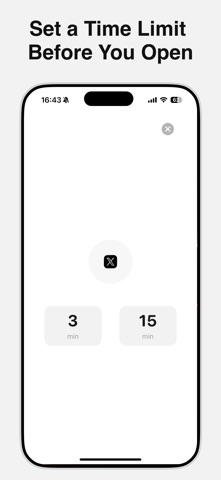
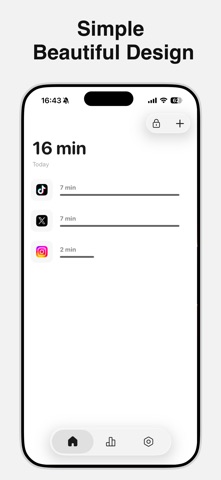
Zentime is a simple app blocker for calmer, more focused time on your phone. Choose how long you want to use an app before you open it—when the timer ends, Zentime locks the app automatically. Because the block is enforced—not just a reminder—Zentime helps you avoid mindless scrolling and stop wasting time. We hope Zentime makes your day a little better. Privacy Policy: https://tinylab-apps.web.app/zentime/privacy Terms of Use: https://www.apple.com/legal/internet-services/itunes/dev/stdeula

Released
Nov 7, 2025
Category
Productivity
Content rating
4+
Price
Free
In-app purchases
Yes
Developer site
tinylab-apps.web.app ↗
US
GB
DE
JP
IN
BR

No chart data

No rank history yet for this selection.

◆ Pro4 charts locked

See the numbers behind the rankings

  • Daily RevenueModeled in-app revenue per day, worldwide or by storefront
  • Daily DownloadsModeled installs per day, with the monthly trend
  • Top MarketsWhere it charts and earns, country by country
  • Keyword RankingsWhich App Store searches it ranks for, and where
Unlock everything →

Screenshots

5
Zentime: Screen Time Control screenshot 1Zentime: Screen Time Control screenshot 2Zentime: Screen Time Control screenshot 3Zentime: Screen Time Control screenshot 4Zentime: Screen Time Control screenshot 5