StoreIntel
AppsTop ChartsTrendingKeywordsMy Apps
Not affiliated with Apple Inc. App Store is a trademark of Apple Inc.Top chartsSupportTermsPrivacy

Word Counter Tool

Xueqin Huang · Productivity · 11.2y old

Free
◆ ProTrack this app App Store

Performance · Worldwide

Est. downloads / month · WW

<5K

Below chart threshold

Est. revenue / month · WW

<$5K

Below chart threshold

Rating · WW

4.8★

149 ratings

Chart position

Rank history — US · Top Free

Apple's Top Free chart — free apps ranked by recent downloads.

Top FreeTop Grossing

Ratings count — US

149
◆ Pro1 chart locked

See the numbers behind the rankings

  • Keyword RankingsWhich App Store searches it ranks for, and where
Unlock everything

Listing

About

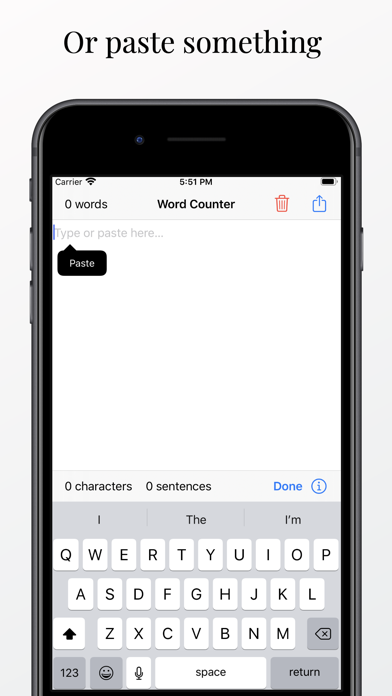
1 word… 2 words… 3 words… Still counting words one by one? Word Counter Tool can help you! Words Counter Tool is a simple but useful tool. Simply type in the app to automatically get the numbers of words, characters (with or without spaces), sentences, paragraphs, and more. You can also copy and paste a document you have already written into Word Counter Tool to get its counting results. Furthermore, you can check any text with the Action Extension inside the “Share…” menu. Best of all, Word Counter Tool does not have any ads - we aim to help you express your creativity with minimal distraction. Language supported: - English - Simplified Chinese 简体中文 - Traditional Chinese 繁體中文 - and most languages that separate words by space We promise to keep working on Word Counter Tool and make it better. If you have any questions or suggestions for the app, feel free to contact the developer at yifei@hesyifei.com. We will try our best. Thanks! :) Disclaimer: We strive to make Word Counter Tool as accurate as possible but we cannot guarantee it will always be so.

Released
Jul 23, 2015
Category
Productivity
Content rating
4+
Price
Free
In-app purchases
No
Developer site
hesyifei.com ↗
WWUSGBDEJPINBR

No chart data

No rank history yet for this selection.

→

Screenshots

6
Word Counter Tool screenshot 1Word Counter Tool screenshot 2Word Counter Tool screenshot 3Word Counter Tool screenshot 4Word Counter Tool screenshot 5Word Counter Tool screenshot 6