StoreIntel
AppsTop ChartsTrendingKeywordsMy Apps
Not affiliated with Apple Inc. App Store is a trademark of Apple Inc.Top chartsSupportTermsPrivacy

Wifi Analyzer -

Rivia Corp s.r.o. · Utilities · 8mo old

Free
◆ ProTrack this app App Store

Performance · Worldwide

Est. downloads / month · WW

<5K

Below chart threshold

Est. revenue / month · WW

<$5K

Below chart threshold

Rating · WW

4.2★

39 ratings

Chart position

Rank history — US · Top Free

Apple's Top Free chart — free apps ranked by recent downloads.

Top FreeTop Grossing

Ratings count — US

39
◆ Pro1 chart locked

See the numbers behind the rankings

  • Keyword RankingsWhich App Store searches it ranks for, and where
Unlock everything

Listing

About

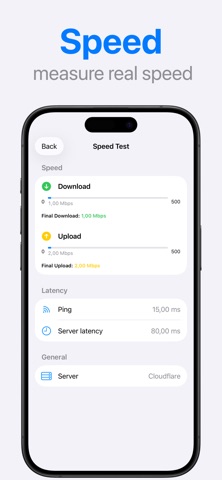
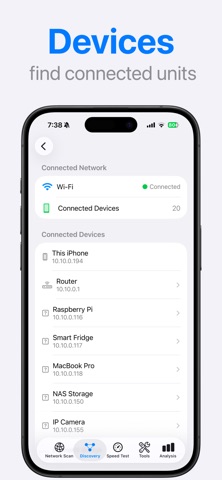
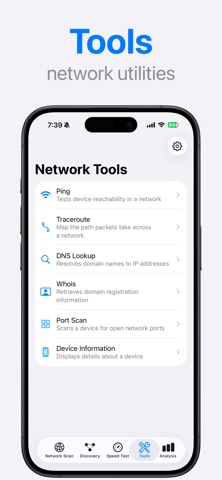
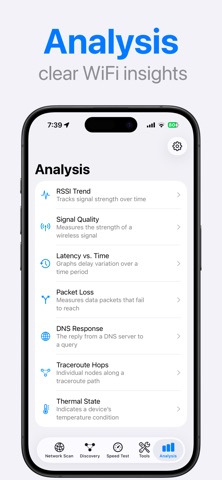
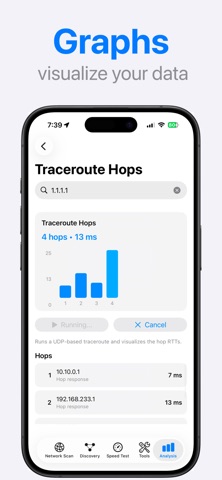
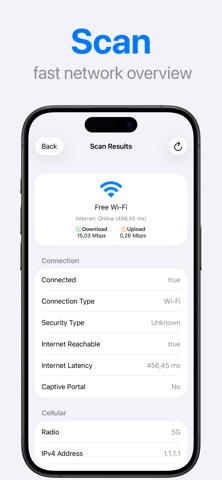
Wi-Fi Analyzer helps you understand what is really happening on your Wi-Fi and local network. It gives you clear, real-time insight into connection quality, network performance, and connected devices. Scan your current network, discover devices on the same Wi-Fi, and run speed tests to verify real download speed, upload speed, and latency. Built-in network tools such as ping, traceroute, DNS lookup, WHOIS, and port scanning help you quickly diagnose connection issues and network behavior. Advanced analysis features visualize signal strength, latency, packet loss, DNS response time, and network paths over time. This makes it easy to detect instability, interference, or performance degradation and track changes in network quality. Wi-Fi Analyzer is designed for users who want accurate diagnostics, clean visuals, and reliable data — without unnecessary complexity. Privacy Policy: https://riviacorp.com/policy-wi-fi-analyzer/ Terms of Service: https://riviacorp.com/terms-wi-fi-analyzer/ Support: https://riviacorp.com/
Released
Feb 5, 2026
Category
Utilities
Content rating
4+
Price
Free
In-app purchases
No
WWUSGBDEJPINBR

No chart data

No rank history yet for this selection.

→

Screenshots

6
Wifi Analyzer - screenshot 1Wifi Analyzer - screenshot 2Wifi Analyzer - screenshot 3Wifi Analyzer - screenshot 4Wifi Analyzer - screenshot 5Wifi Analyzer - screenshot 6