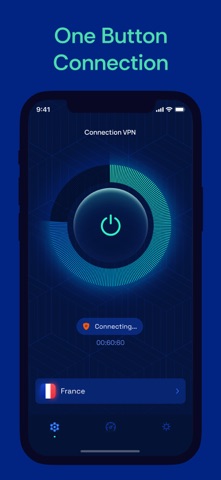
Protect your connection, check your internet speed, and manage your virtual location - all in one app.
Connect with one tap and choose from available VPN server locations. The app helps protect your internet traffic while giving you useful tools to check your connection, IP address, location, and network information.
KEY FEATURES
- Connect to a VPN with one tap
- Choose from multiple VPN server locations
- Help protect your internet traffic
- Hide your IP address while connected
- Choose a virtual VPN location
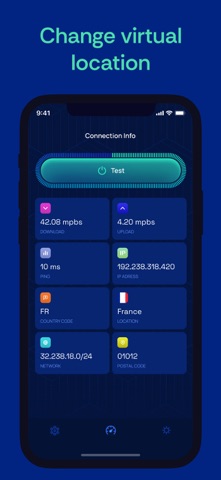
- Check your current IP address and location
- Test your internet connection speed
- View connection and network information, including netmask
- Use your VPN connection on public Wi-Fi and everyday networks
FAST, SIMPLE VPN CONNECTION
Get connected without complicated setup. Choose a server location and start a VPN connection in just a few taps. Essential connection controls are easy to access whenever you need them.
CONTROL YOUR VIRTUAL LOCATION
Choose from available VPN locations when you want to change the virtual location associated with your connection. You can also check the IP address and location currently detected by the app.
INTERNET SPEED & NETWORK TOOLS
Check your connection directly in the app. Run an internet speed test and view useful network details to better understand the connection you are using.
PRIVACY FOR EVERYDAY CONNECTIONS
A VPN can help add a layer of protection to your internet traffic when you connect online. Turn protection on when you need it and keep your VPN, speed test, IP, location, and network tools in one place.
More information about subscriptions
- The app has three types of subscriptions: weekly, monthly and annual.
- Subscriptions have a 3-day trial period. At the end of the 3-day trial period, the subscription will be automatically renewed according to the tariff unless canceled before the end of the 3-day trial period.
- Payment will be charged to your Apple ID account upon confirmation of purchase.
- Subscription will automatically renew unless auto-renew is turned off at least 24 hours before the end of the current period.
- You will be billed for the subscription renewal within 24 hours before the end of the current period with the renewal fee.
- You can manage subscriptions and disable auto-renewal after purchase by going to your App Store account settings.
- Subscriptions can be canceled at any time in your Apple ID settings. All prices include applicable local sales taxes.
- The unused portion of the free trial, if offered, will be canceled upon subscription purchase.
Privacy Policy: https://polbudapp.com/policy.html
Terms of Use: https://polbudapp.com/terms.html