Your ideas, captured fast—and free to write without limits.
Volt opens straight into writing. No Volt account, note limit, or launch paywall.
WRITE FREE
• Unlimited notes, editing, and ordinary search.
• Capture with Siri or Shortcuts; speak or type on a paired Apple Watch.
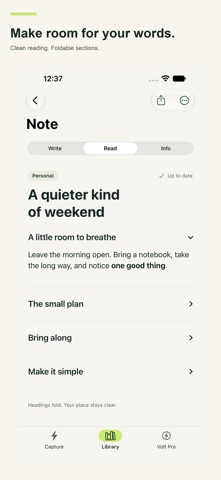
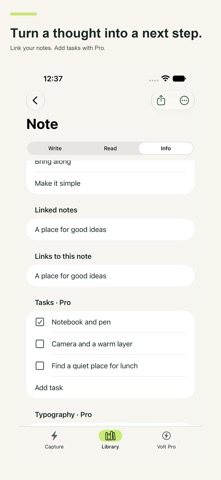
• Markdown, foldable sections, links between notes, and backlinks.
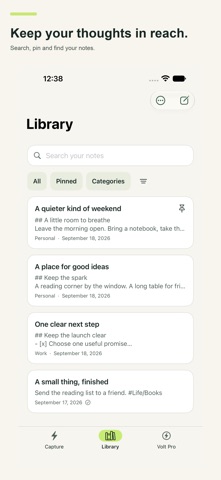
• Categories, pinning, word counts, and the system share sheet.
• Sketch on supported iPads; save selected text and web links from other apps.
• Export text, Markdown, TextBundle, rich text, and Volt files.
VOLT PRO — MORE FROM EVERY NOTE
• Sync via iCloud across supported iPhone, iPad, Mac, and Apple Vision Pro devices.
• Password-protect individual notes; lock Volt with device authentication.
• Find words inside note images and PDFs; use Spotlight and special searches.
• Record voice notes, bookmark moments, and review transcripts on supported devices.
• Annotate PDFs and save quotations with their source pages.
• Turn notes into action with advanced tags, tasks, review, finish, archive, and revisit.
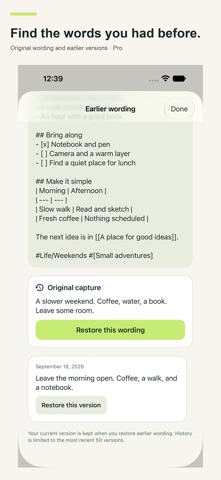
• Keep original captures, recent edit history, and saved actions.
• Build visual project, decision, and meeting canvases on supported systems.
• Connect your own compatible AI provider; approve each selected note before sending it; save the result as a new note.
• Export HTML, DOCX, PDF, JPG, and ePub; customize your typography.
CHOOSE A PRO PLAN
• Monthly or annual auto-renewable subscription; both unlock the same Pro features.
• Apple shows your local price and renewal period before purchase.
• Manage or cancel in Apple Account > Subscriptions. Deleting Volt does not cancel.
• Eligible earlier paid-app buyers and verified earlier Pro-unlock holders keep access without subscribing. Restore Purchases is in the app.
GOOD TO KNOW
• Your AI provider may charge separately. Pro includes no AI credits, and a chatbot subscription may not include API access. Protected notes are excluded.
• Notes stay on your device unless you enable sync or choose a transfer. Optional app-use and reliability measurement is off until you agree and excludes note content. No ads or cross-app advertising tracking.
• Some tools need compatible hardware, operating systems, languages, permissions, or installed Apple assets. New Notes-schema Siri actions need supported OS 27 devices. Watch capture transfers through a paired iPhone. iCloud requires an Apple Account and available storage; it is not a backup. Keep note passwords safe—we cannot recover them.
Support: https://www.myworkingmemory.ai/volt-support.html
Terms: https://www.myworkingmemory.ai/volt-terms.html
Privacy: https://www.myworkingmemory.ai/volt-privacy.html