Let’s face it: most people just hate listening to voice messages. Another indisputable fact — it’s not always comfortable to listen to voicemail, especially when you are in meetings, concerts, lectures or other public places.
For those reasons we proudly present to you the Voicepop. Save time, effort, and avoid embarrassment by reading your voice messages instead. It converts voice to text via WhatsApp, Telegram, Signal, Slack, and other messengers or processes your speech notes from Voice Memos.
There’s no doubt that Voicepop is your best speech-to-text app! With its help, you will instantly turn any voice and even video messages into text. After getting this genuine app on your iPhone or iPad, you’ll forget about annoying voicemails and will get proper information from the interlocutor in a comfortable text form.
We’re sure that you need this app, which is absolutely FREE! =)
Easy to use
To guarantee a high level of transcription quality, VoicePop uses unique speech recognition technology. Just find a voice message and share it to Voicepop, so the program could convert it.
The app is compatible with such popular services as Telegram, WhatsApp, KakaoTalk, Signal, ICQ, and Slack. Use Voicepop to turn voice and video messages to text, whenever you can't listen to them.
Voicepop features:
***Works inside WhatsApp — no need to switch between apps.
***Comparable with voice messages.
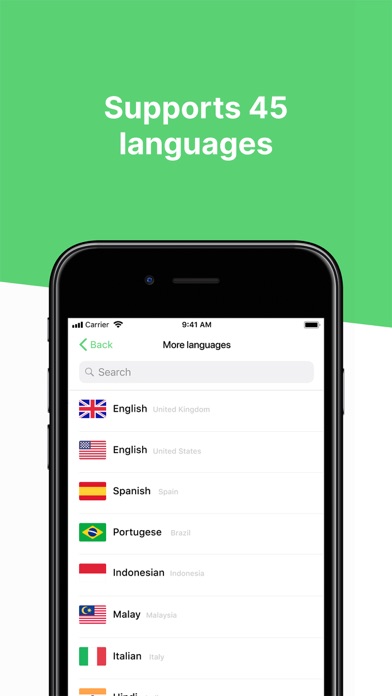
***Supports a multitude of languages — more than 45.
This app transcribes voice and video messages to text in a few seconds. It’s been around for a while, and with some of the amazing technology behind it, Voicepop is able to have some really good accuracy.
Read text instead of voice messages
The options you get after installing Voicepop on your device:
***You plan to process voice memos.
***You want to read voice messages in other languages.
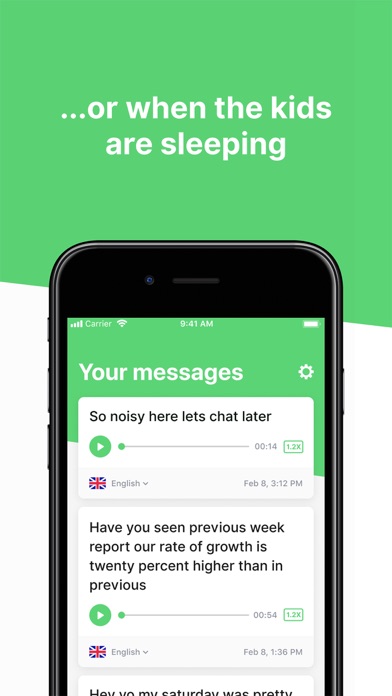
***You need to convert the sound message while kids are sleeping.
***You would like to use the app when it’s not convenient to listen to voice messages.
Also the app is doing an excellent job for people, who have hearing loss problems. Give it a try!
Voicepop has a perfectly crafted user interface. Speech-to-text app is also ideal, if you find voicemails annoying and prefer to save your valuable time. Now there’s no need to replay long voice messages on your iPhone/iPad again and again.
Privacy
Voicepop will never access, download or use voice and video messages without your permission. Independently Voicepop Inc. do not have any access to them, and this information is officially indicated in the company’s Privacy Policy and Terms of Use.
Terms of Use: https://voicepop.com/terms-of-use
Privacy Policy: https://voicepop.com/privacy-policy
License Agreement: https://www.apple.com/legal/internet-services/itunes/dev/minterms
What’s the deal
Voicepop is free to download and use via the App Store.
So why do you wait? This app is a must, if you are sick and tired of voice mails. Save yourself!