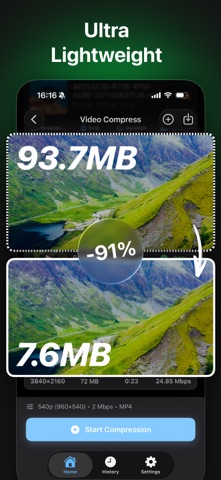
Make large videos easier to store and share. VideoSlimmer is a video compressor and converter for iPhone and iPad. Reduce video file size, adjust quality and export MP4, MOV, M4V or WebM, with all compression and conversion handled locally on your device.
SMALLER VIDEOS, MORE CONTROL
Choose a quality preset for a quick start, or fine-tune resolution, bitrate and frame rate to balance file size and picture quality. Make everyday clips smaller for messaging, email attachments and storage, or prepare larger recordings for sharing.
CONVERT TO THE FORMAT YOU NEED
Import common video formats including MP4, MOV, M4V, MKV, AVI, WebM and MPEG. Export MP4, MOV or M4V for compatible apps and devices, or choose the new WebM option for web projects. Supported files depend on the video and audio codecs they contain.
NEW: WEBM EXPORT
Create WebM files with VP9 video and Opus audio. WebM export supports SDR video up to 4K, including portrait videos. On iPhone and iPad, save WebM files to Files and open or share them with a compatible app. WebM export does not currently support HDR video.
SET THE DETAILS
- Choose a compression preset or customize your output.
- Adjust resolution and bitrate to suit your needs.
- Keep the original frame rate or choose 24, 25, 30 or 60 fps.
- Remove audio to create silent clips.
- Choose from the codecs available for your output format.
PROCESS A BATCH WITH PRO
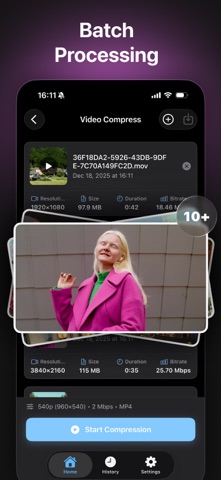
Add multiple videos to a queue and apply your chosen settings without starting each file manually. Follow each task's progress and stop a conversion when needed. WebM tasks run one at a time to manage resource use.
KEEP VIDEO PROCESSING ON YOUR DEVICE
Compress and convert local videos offline. No video upload is required for processing, so you can work directly with files on your device.
IMPORT, SAVE AND SHARE
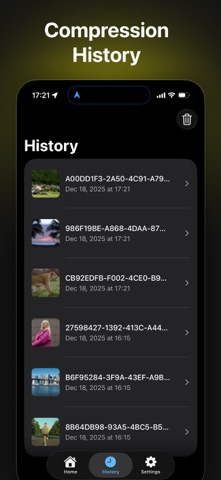
On iPhone and iPad, import videos from Photos or Files, then save or share your results. Revisit saved results in compression history.
AVAILABLE IN 18 LANGUAGES
Use VideoSlimmer in English, Arabic, German, Spanish, French, Hindi, Indonesian, Italian, Japanese, Korean, Brazilian Portuguese, Russian, Thai, Turkish, Vietnamese, Simplified Chinese, or Traditional Chinese for Taiwan and Hong Kong.
GET STARTED
1. Add your videos.
2. Choose a quality preset and output format.
3. Adjust settings if needed, then start compression.
4. Save or share the finished files.
UPGRADE TO PRO
Unlock batch compression and conversion with Pro. Monthly and yearly subscriptions and a lifetime purchase are available. Current prices and purchase details are shown in the app before you buy.
Privacy Policy: https://videoslimmer.com/privacy
Terms of Use: https://videoslimmer.com/terms
Questions or feedback? Contact support@videoslimmer.com