StoreIntel
AppsTop ChartsTrendingKeywordsMy Apps
Not affiliated with Apple Inc. App Store is a trademark of Apple Inc.Top chartsSupportTermsPrivacy

Video Zoom! - Apply Zoom, Crop

Lucky Clan · Photo & Video · 11.8y old

$1.99 · Paid
◆ ProTrack this app App Store

Performance · Worldwide

◆ Pro

Downloads & Revenue estimates

Monthly, by storefront, with daily history

Unlock →

Rating · WW

4.7★

401 ratings

Chart position

Rank history — US · Top Paid

Apple's Top Paid chart — paid apps ranked by recent downloads.

Top PaidTop Grossing

Ratings count — US

401

Listing

About

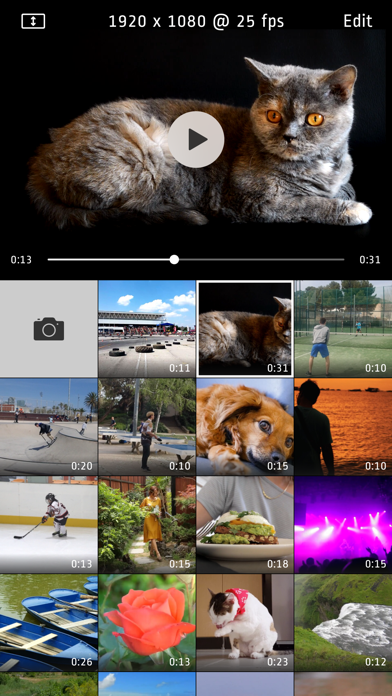
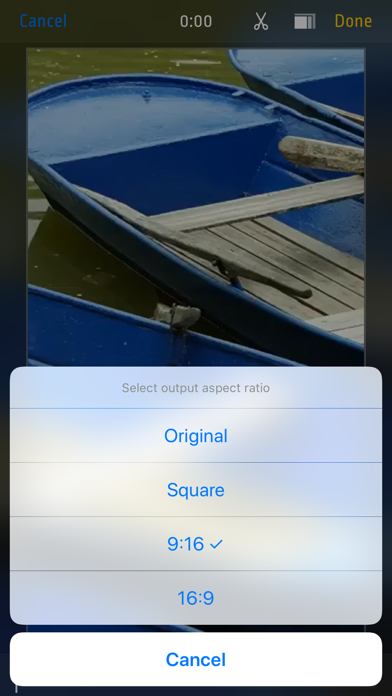
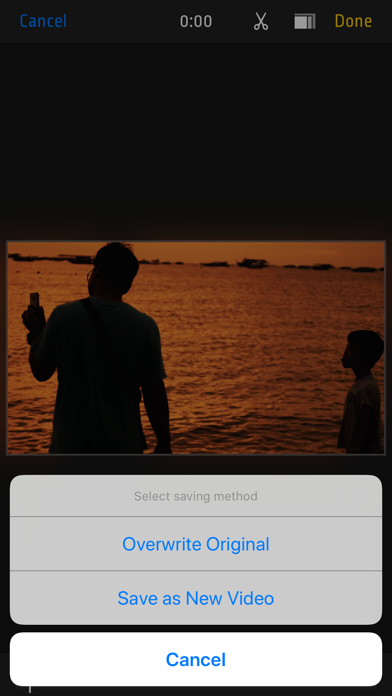
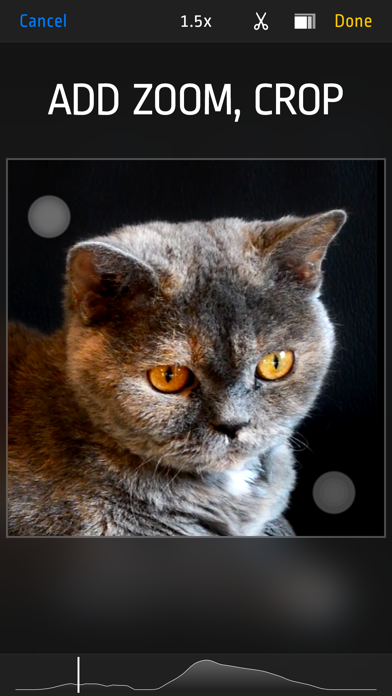
Do your videos look boring? Did you forget to use zoom during recording? Want to cut some parts? Use this app to add Zoom effects to existing videos, change aspect ratio, cut unwanted parts, or just crop a video. Use it as a normal app or Video Extension. How to use it: 1. Tap video thumbnail to preview video 2. Tap Edit to open editor 3. Use pinch/drag gestures to add zoom effect. You can do it when video is playing or paused. 4. Tap ‘Scissors’ icon to show Cut and Uncut buttons. Hold ‘Cut’ pressed to cut unwanted scenes. 5. Tap ‘Rectangle’s icon to change aspect ratio 6. Finally tap "Done" and select "Overwrite Original” or "Save As New Video“ to start rendering. Even if you choose "Overwrite" you can revert to original anytime. Features: - Zoom/Pan/Crop existing videos - cut as many unwanted parts as you need - turn device to landscape orientation to open full screen preview in gallery view - revert to original or delete videos by long pressing thumbnail in gallery - select output quality lower or equal to original (4k/1080p/720p) - iOS Photo Library support (no internal library) - recording from Front or Back camera - save zoomed video as a New Clip or Overwrite - Photo Extension support allowing you to quickly launch Video Zoom app from system Photos - interface optimized for all iPhones and iPads
Released
Dec 19, 2014
Category
Photo & Video
Content rating
4+
Price
$1.99
In-app purchases
No
WWUSGBDEJPINBR

#84latest · best #84 in 90d

◆ Pro4 charts locked

See the numbers behind the rankings

  • Daily RevenueModeled in-app revenue per day, worldwide or by storefront
  • Daily DownloadsModeled installs per day, with the monthly trend
  • Top MarketsWhere it charts and earns, country by country
  • Keyword RankingsWhich App Store searches it ranks for, and where
Unlock everything →

Screenshots

5
Video Zoom! - Apply Zoom, Crop screenshot 1Video Zoom! - Apply Zoom, Crop screenshot 2Video Zoom! - Apply Zoom, Crop screenshot 3Video Zoom! - Apply Zoom, Crop screenshot 4Video Zoom! - Apply Zoom, Crop screenshot 5