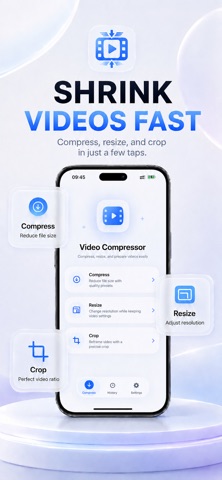
Make large videos smaller without giving up control.
Video Compressor makes it easy to compress, resize, and crop videos on your iPhone or iPad. Reduce video file size, save storage space, change resolution, or adjust the frame for easier sharing.
COMPRESS VIDEOS
Shrink large video files with simple compression controls. Choose the balance between smaller file size and visual quality that works best for you.
Use Video Compressor to:
• Reduce large video file sizes
• Save storage space on your device
• Prepare smaller videos for email and messaging
• Make videos faster and easier to share
• Keep your original video unchanged
RESIZE VIDEO
Change video resolution to reduce file size or create an output better suited to your needs. Resize large videos without using a complicated editing timeline.
CROP VIDEO
Crop videos and adjust the visible frame for different layouts, including:
• Portrait video
• Square video
• Landscape video
• Stories and reels
• Social media posts
• Custom aspect ratios
SIMPLE AND EASY TO USE
Select a video, choose the tool you need, configure the output, and export. Clear controls make video compression, resizing, and cropping accessible without complicated editing settings.
SUPPORTED TOOLS
• Video compressor
• Video size reducer
• Video resizer
• Video cropper
• Resolution adjustment
• Quality adjustment
• File size reduction
• MP4 and MOV processing
• H.264 and HEVC support
PRIVATE, ON-DEVICE PROCESSING
Your videos are processed directly on your device. No account is required, and your video files are not uploaded for compression.
SAVE SPACE. SHARE FASTER.
Whether you need to compress a large video, reduce video size, resize a clip, or crop a video to a different aspect ratio, Video Compressor gives you the essential tools in one simple app.
Download Video Compressor and take control of your video file sizes.