Video Compressor is the ultimate all-in-one tool to quickly compress video, image, and audio files on iPhone and iPad without losing quality. Whether you need to reduce video size for WhatsApp, email, Instagram, or YouTube, or simply want to save storage space on iOS, this app makes it simple, fast, and effective.
Key Features
• Smart Video Compression – Automatically Shrink large videos file size with multiple quality options.
• Multiple Format Support – Works with MP4, MOV, AVI, MKV, HEVC/H.265.
• Photo Compression & Resizer – Shrink photos, resize images, optimize for email and social media.
• Audio Converter & Compressor – Reduce the size of music, podcasts, and voice memos, export to MP3, AAC, M4A.
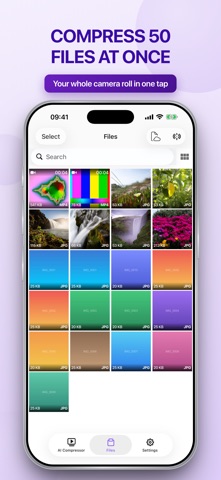
• Batch Processing – Compress multiple videos, photos, or audio files at once.
• Custom Export Settings – Adjust resolution (360p, 720p, 1080p, 4K), bitrate, and file format.
• One-Tap Quick Compression – Instantly reduce file size with a single tap.
• Lossless & High-Quality Modes – Keep maximum quality while shrinking file size significantly.
• Preview Before Saving – Compare the original file with the compressed version before export.
• No Watermark – Compressed files are clean, with no branding or watermark.
• Offline & Secure – All compression happens on your iPhone/iPad, no internet needed, 100% private.
• Fast Compression Engine – Lightning-fast processing with minimal battery usage.
• Save Storage Space – Free up iPhone and iPad storage in just seconds.
• Optimized for Sharing – Perfectly sized files for WhatsApp, Instagram, TikTok, YouTube, and Email.
• Compress for Cloud Backup – Reduce file size before uploading to iCloud, Google Drive, or Dropbox.
• Multi-Language Support – Easy to use in multiple languages worldwide.
• Simple & User-Friendly Interface – Simple design for everyone, no tech skills needed.
• Dark Mode Compatible – Seamlessly works with iOS Dark Mode.
• History & File Manager – Organize, view, and manage compressed files anytime.
• Regular Updates & Improvements – Constantly improving with new features and optimizations.
Perfect for those who want to share videos faster, save storage space, and optimize media files on iPhone.
Download Video Compressor Reduce Size today – the best free video, photo, and audio compression app for iOS!
Upgrade to Premium:
• Subscribe for unlimited access to all features and content offered for purchases within the app.
• Payment will be charged to your iTunes Account at confirmation of purchase.
• Subscription automatically renews unless auto-renew is turned off at least 24 hours before the end of the current period.
• Manage subscriptions and turn off auto-renewal in your Account Settings after purchase.
Let us know about any bugs, questions, feature requests or any other suggestions. Thank you!
For more information, please visit:
Terms of Use: https://www.apple.com/legal/internet-services/itunes/dev/stdeula/
Privacy Policy: https://videocompressor.app/privacy