The remote is missing again. Your iPhone is not.
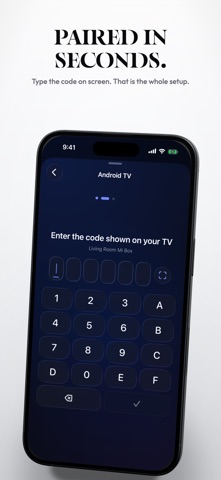
Vetrio turns it into a real remote for the TV you already own. It finds the set on your own Wi-Fi, connects in seconds, and then gets out of the way. No ads. No subscription. Free for seven days, then one purchase and it is yours for good.
WHY PEOPLE SWITCH
Most remote apps in this category rent you a volume button. They interrupt with ads, or charge every week for the privilege of pressing Power. Vetrio asks once. There is no ad tier, no upsell inside the remote, and nothing to renew.
NEW IN THIS VERSION
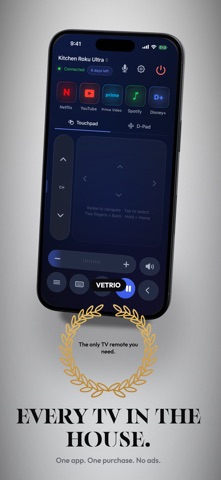
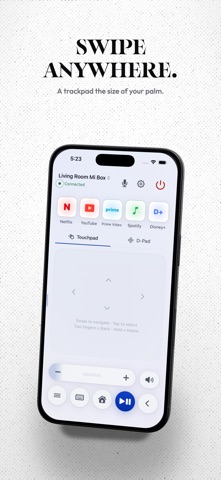
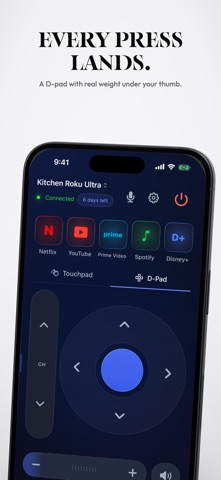
- The remote screen was rebuilt from nothing. One control surface instead of ten floating panels. Three button sizes, one centre line, five equal keys along the bottom, everything inside a thumb's reach.
- Volume is a rocker you can drag. Slide it for a run of steps, tap it for one.
- The touchpad answers your finger with a moving field of light.
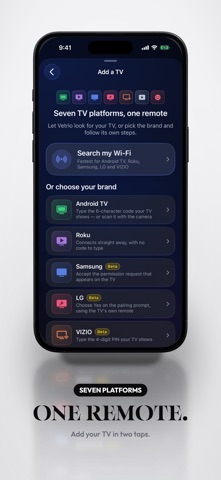
- Three more TV families are supported, and a new Add a TV screen lays out every platform in one place.
- Connecting is far more reliable. Two dozen defects fixed, including the timeout that killed the pairing prompt halfway through. If Vetrio could not reach your TV before, this is the release to try again.
- Six controls that refused to be pressed now work.
- A real light theme, with a Light / System / Dark picker in Settings.
- The Apple Watch app is rebuilt and fits every watch size, touchpad first.
- When a connection fails, the app tells you which step it reached and what the TV itself replied, instead of a shrug.
EVERYTHING IN THE REMOTE
- D-pad and gesture touchpad, tuned for one hand
- Power, mute, media keys, and the drag-adjustable volume rocker
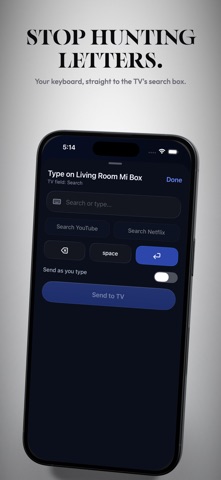
- Type with your iPhone keyboard instead of picking letters one at a time on screen
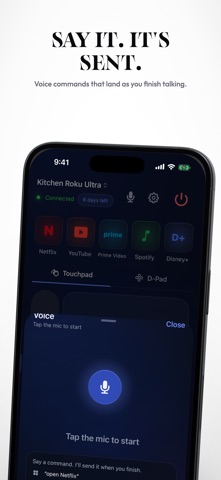
- Voice: say it, and Vetrio sends the matching command
- Shortcuts to the apps you actually open
- Home Screen widget, Control Center controls, Siri and Shortcuts
- Apple Watch app
- Several TVs, switched in a tap
- Haptics on every press, and touch targets built for the dark
COMPATIBILITY
Vetrio controls network-connected televisions and streaming players over your home Wi-Fi, including sets and players from Roku, Samsung, LG, Vizio, Sony and TCL. Check your model before you buy - Vetrio's full remote is free to try for seven days.
Vetrio is an independent app. It is not affiliated with, endorsed by, sponsored by, or certified by Roku, Inc., Samsung Electronics Co., Ltd., LG Electronics Inc., VIZIO, LLC, Sony Group Corporation, or TCL Technology Group Corporation. All product names, trademarks and registered trademarks are the property of their respective owners and are used here solely to describe device compatibility.
WHAT IT COSTS
Everything is unlocked for seven days when you install it. After that, one purchase keeps the whole remote, forever. No subscription. No ads. No second tier.