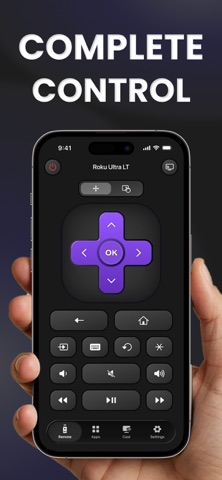
TV Remote brings everything you need to control your TV right to your iPhone.
Navigate your TV, adjust the volume, switch channels, type with your keyboard, open your favorite apps, and cast content to the big screen. With support for popular TV brands and platforms, one simple remote is all you need.
Control your TV with ease
• Control Roku, Google TV, Samsung, Sony, LG, TCL, and Hisense TVs from your iPhone.
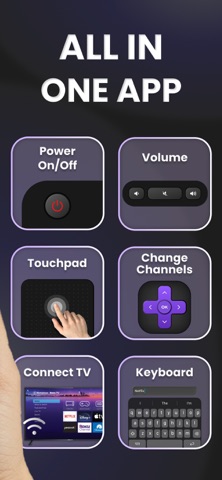
• Use the touchpad to navigate menus, apps, and streaming services with familiar gestures.
• Adjust volume, mute audio, change channels, and access essential TV controls.
• Use your iPhone keyboard to search, enter text, and sign in more easily.
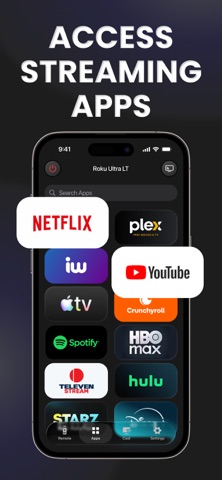
• Open supported TV apps directly from your phone.
Connect and switch between TVs
TV Remote automatically discovers supported TVs connected to the same local Wi Fi network.
Save multiple TVs and move between them whenever you need to. Control the TV in your living room, bedroom, or anywhere else in your home from the same app.
Cast to the big screen
Enjoy more of your content on your TV.
• Cast photos from your iPhone.
• Play videos on the big screen.
• Access and cast IPTV content.
Everything stays close at hand, whether you are sharing photos or settling in to watch something.
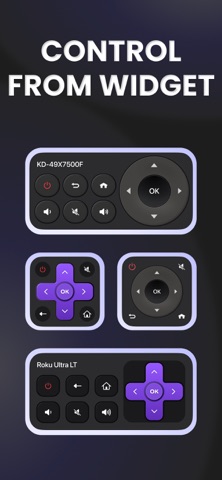
Control from your Home Screen
Use Home Screen widgets to access TV controls without opening the app.
Your essential controls are always just a tap away.
One remote for your home
A physical remote can disappear, run out of batteries, or simply be in another room. TV Remote gives you another way to control your TV using the device already in your hand.
With support for multiple TVs and popular brands, you can keep your controls together in one simple app.
Subscription details
You can subscribe for unlimited access to all features available with your selected plan.
Payment is charged only after you confirm your purchase.
Subscriptions are available on weekly and annual plans at the displayed price.
Your subscription renews automatically unless canceled before the end of the current subscription period. You can manage or cancel your subscription at any time in your App Store account settings.
Content shown in screenshots, preview videos, and audio may include materials provided by the following platforms:
• Shutterstock, used with permission from Shutterstock.com where applicable
• Freepik, designed by Freepik
• iStock, used under a standard iStock license
Questions or feedback?
Contact us at support@neopixel.biz
If you enjoy using TV Remote, you can leave a rating or review on the App Store.
By using TV Remote, you agree to our Privacy Policy and Terms of Use.
Privacy Policy: https://neopixel.ai/TV-Remote/privacy
Terms of Use: https://neopixel.ai/TV-Remote/terms