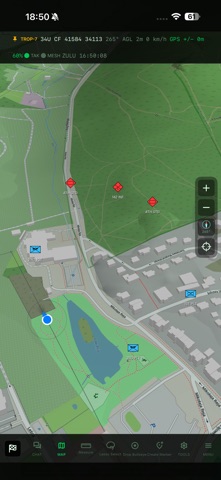
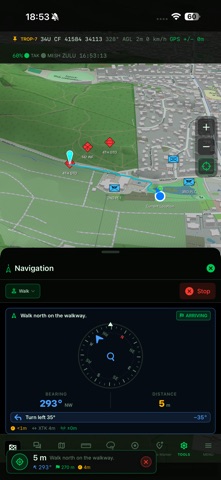
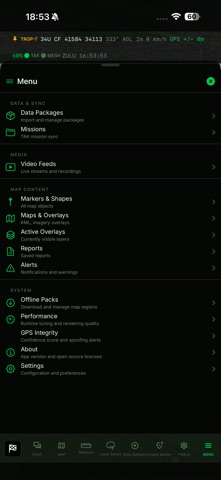
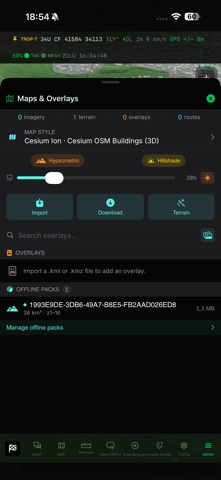
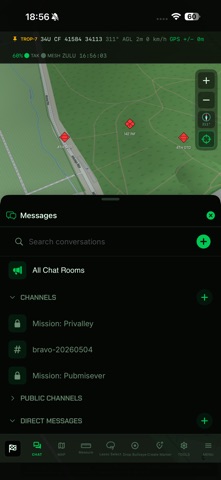
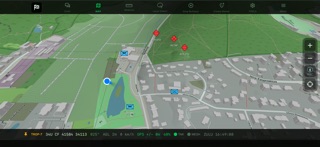
Operational advantage starts with a shared picture of the situation.
TROP is a mobile operational layer for teams that need to see, understand and coordinate field operations faster. The app connects user positions, markers, missions, tasks, communication, video streaming, drone data and AI-assisted capabilities in one coherent operational environment.
TROP supports TAK/CoT interoperability, allowing it to work with existing solutions used in field, training, rescue and operational scenarios. It is designed for teams that need fast information exchange, better coordination and continuity of action - even when network conditions are difficult.
Key TROP capabilities:
Shared situational picture
• View team positions, objects, markers, routes, zones and key operational information in one working environment.
Missions and field coordination
• Create, share and update operational elements needed for field activity. Send points, tasks, observations and situational updates to your team.
TAK/CoT interoperability
• Exchange data with compatible TAK/CoT systems and clients, including ATAK, iTAK and other tools used by operational teams.
Field video streaming
• Use video from mobile devices, cameras and drones as part of the shared situational picture. TROP helps teams move faster from observation to action.
Drone support
• Drone data can support reconnaissance, observation and coordination. Combining positions, markers, aerial video and operational data helps teams better understand what is happening around them.
AI-assisted workflows
• TROP supports AI-assisted analysis of photos, video and field data. The goal is to turn raw information into actionable operational outputs faster - markers, observations, points of interest or reports.
Online and offline operations
• TROP supports scenarios where internet access is limited, unstable or unavailable. Teams can use field data and maintain continuity of work in difficult network conditions.
Markers, routes and zones
• Mark important points, create lines, areas of responsibility, threat zones, checkpoints and other elements needed to coordinate operations.
Team communication
• Share location, exchange information, support task execution and keep the team aligned without switching between multiple disconnected tools.
Security and control
TROP is part of a broader ecosystem that can include server infrastructure, access control, user authorization and secure data exchange.
Part of the TROP ecosystem
The TROP mobile app can operate as part of a wider platform that includes servers, backend services, administrative tools, integrations and solutions supporting operational data analysis.
This allows TROP to support both small field teams and larger organizations that need a scalable, interoperable and secure solution for building situational awareness.