Want to trim (Save only selected video region) any video? then use our ClipTrim app to trim your video easily. Our ClipTrim app allows you to trim video, add music to your trimmed video and add effects to your trimmed video easily. This is the perfect app for trimming any kinds of video right on your device.
Features:-
1. App is Exclusively designed for trimming video
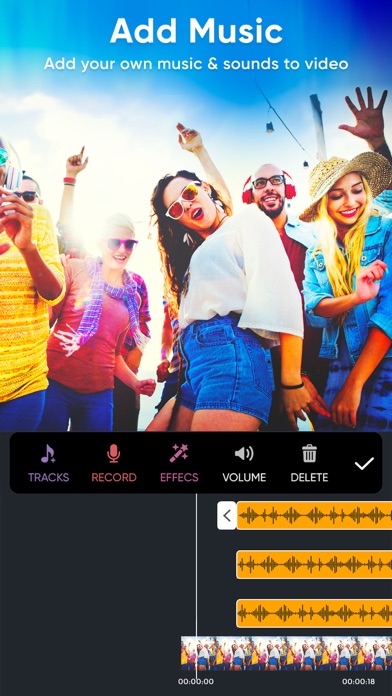
2. You can add music of your own choice to your trimmed video
3. Add effects to your trimmed video
4. Option to save video to your camera roll
5. Built in social share option provided
Usage:-
1. Select the Video from your camera roll or you can shoot the video by using your phone device
2. To select the trimming region, click on Trim button. Now you will see yellow selection slider on video. Just select the position of the video that you want to keep by removing unselected video clip. Once you done with selection click on Trim button which is available in the top navigation bar to trim video.
3. To add music to your trimmed video just click on Music button and select any audio from your device to add to your trimmed video.
4. To add effects to your trimmed video click on Effects button and choose the effects that you need to apply to your trimmed video and then click on Right icon which is available on the top menu to add effects to your video.
5. Once you done with all the steps click on share button which is available at the top menu to save trimmed video to your camera roll or on any social networking sites.
Important Notes about subscription
• Subscriptions may be managed by the user and auto-renewal may be turned off by going to the user's Account Settings after purchase
• Any unused portion of a free trial period, if offered, will be forfeited when the user purchases a subscription to that publication, where applicable
Subscription plans:
1. USD $6.99 per month
2. USD $30.99 per Year
3. USD $20.99 per half year
4. USD $2.99 per week
Subscriptions automatically renew unless they are turned off at least 24 hours before the end of the current period in account settings. Renewals are charged within 24-hours preceding the end of the current period. Payment is charged to iTunes Account at confirmation of purchase. Subscriptions are managed by the user.
Terms of Service: http://outthinkingelectronics.com/terms.html
Privacy: http://outthinkingelectronics.com/privacy.html