StoreIntel
AppsTop ChartsTrendingKeywordsMy Apps
Not affiliated with Apple Inc. App Store is a trademark of Apple Inc.Top chartsSupportTermsPrivacy

Tracker - My Package Tracking

Team Chee · Utilities · 3.9y old

Free
◆ ProTrack this app App Store

Performance · Worldwide

Est. downloads / month · WW

<5K

Below chart threshold

Est. revenue / month · WW

<$5K

Below chart threshold

Rating · WW

4.6★

801 ratings

Chart position

Rank history — US · Top Free

Apple's Top Free chart — free apps ranked by recent downloads.

Top FreeTop Grossing

Ratings count — US

801
◆ Pro1 chart locked

See the numbers behind the rankings

  • Keyword RankingsWhich App Store searches it ranks for, and where
Unlock everything

Listing

About

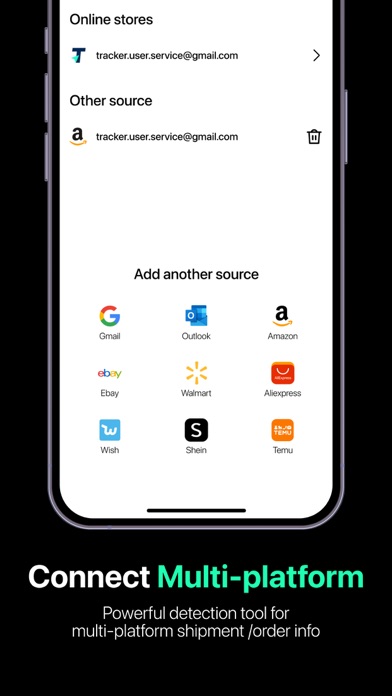
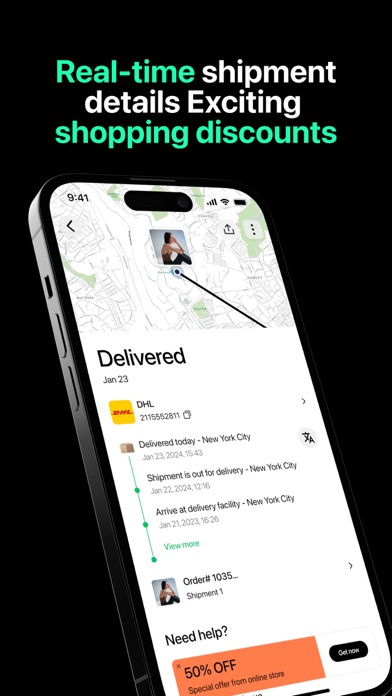
Tracker is a shipment tracking tool for the customer's parcel. It integrates functions of tracking shipment and mailing to merchants, enabling customers to track their orders' shipment and get in touch with merchants easily. Now Tracker has cooperated with over 1000 global logistics service providers, including USPS, UPS, DHL, OnTrac, LaserShip, OSM, YRC, SEKO logistics, covering most regions worldwide and supporting the vast majority of users with its advanced and perfect shipment tracking system. Users can track their packages at any time and place, as well as authorize the email for smart updates by Tracker. For help or support regarding order or tracking, please contact us via email at tracker.user.service@gmail.com
Released
Nov 8, 2022
Category
Utilities
Content rating
4+
Price
Free
In-app purchases
No
Developer site
tracker.shopline.com ↗
WWUSGBDEJPINBR

No chart data

No rank history yet for this selection.

→

Screenshots

8
Tracker - My Package Tracking screenshot 1Tracker - My Package Tracking screenshot 2Tracker - My Package Tracking screenshot 3Tracker - My Package Tracking screenshot 4Tracker - My Package Tracking screenshot 5Tracker - My Package Tracking screenshot 6Tracker - My Package Tracking screenshot 7Tracker - My Package Tracking screenshot 8