**Welcome to To Do List - Daily Planner!**
We’re excited to introduce you to To-Do List - Planner, the ultimate app designed to help you stay organized and achieve your goals. Whether you're managing daily tasks or planning long-term projects, our app provides a range of features to enhance your productivity and simplify your life.
**Unlock the Power of Pro Features**
With the Pro version of To Do List - Daily Planner, you can experience the full potential of our app and take your task management to new heights. Here’s how the Pro version can make a difference in your productivity:
**Unlimited Tasks and Advanced Reminders**
Create and manage an unlimited number of tasks without any restrictions. Pro users benefit from advanced reminders and notifications, ensuring you never miss a deadline or forget an important task. Keep your to-do list organized and up-to-date with ease.
**Streamlined Workflow with Prioritization and Categorization**
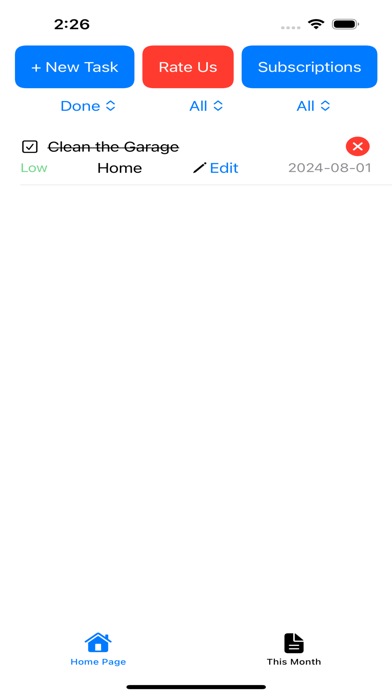
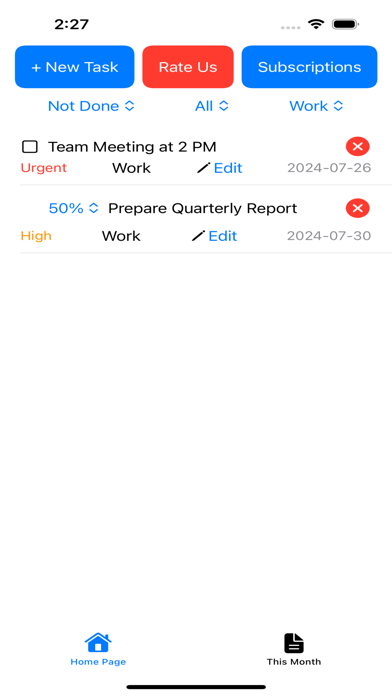
Efficiently manage your tasks by setting priorities—Urgent, High, Medium, Low. Categorize your tasks into various groups like Work, Personal, Health, and more to keep everything neatly organized. With Pro, filtering tasks becomes a breeze, helping you focus on what’s most important.
**Comprehensive Progress Tracking and Monthly Overview**
Track your progress with detailed completion percentages from 0% to 100%. The Monthly View provides a clear overview of your tasks for the current month, making planning and scheduling more effective. Stay on top of your goals and manage your time efficiently with Pro features.
**To-Do List - Planner Pro Benefits:**
- **Access to All Features:** Unlock premium tools designed to optimize your task management.
- **Endless Task Management:** Create as many tasks as you need and get timely reminders for deadlines.
- **Effective Task Organization:** Prioritize, categorize, and filter tasks to streamline your workflow.
- **Progress and Planning Tools:** Monitor task progress and get a monthly overview for better planning.
**Why Upgrade to Pro?**
Upgrading to Pro means gaining access to a suite of advanced features that will enhance your productivity and help you stay organized. Don’t just manage tasks—master them with To-Do List - Planner Pro. Start using To-Do List - Planner today and see how Pro can transform your task management experience!
Free Version Features:
• Users can add 10 new To-Do tasks per month.
Pro Version Features (includes Free Version Features):
• Unlimited To-Do Tasks
• Task Reminders
• Prioritize & Filter Tasks
• Task Categories
• Percentage Tasks
• This Month View
Upgrade to the Pro Version to unlock all premium features.
Weekly, Monthly, 3 monthly, 6 monthly and annual (12 monthly) subscription packages are available. There is also a One-Time Purchase for the Pro Version.
We recommend that you cancel your Free Trial or Subscription Renewals 24 hours before the renewal date.
Terms of Use: https://www.apple.com/legal/internet-services/itunes/dev/stdeula/