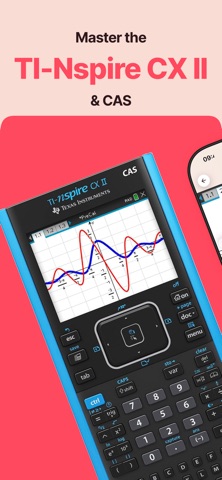
The must-have companion for your TI-Nspire CX II and TI-Nspire CX II CAS:
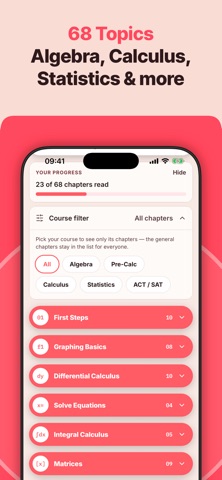
• This manual shows all the important functions of the TI-Nspire CX II graphing calculator you need for high school and college. Every topic comes with the exact key press sequence and helpful tips. In total it covers 68 topics in 9 chapters.
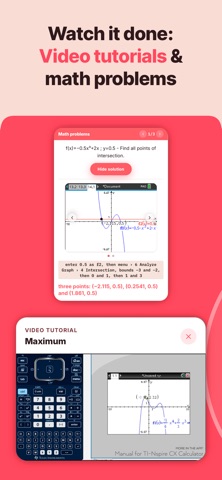
• Swipe through screenshots of the calculator that show every step you need to take (over 450 screenshots in total). Your display will look just like the screenshot, so you always know you are on the right track.
• Watch 28 short video tutorials right inside the chapters.
• Practice with 120 math problems with solutions and test yourself with the built-in quiz.
• Ideal for exam preparation, because after a few months nobody remembers every command. A whole chapter explains what is allowed on the SAT, ACT, AP and IB exams.
• Works for both models: whenever the CAS version does something differently, the app tells you.
• Also useful for teachers: students can look up the steps themselves instead of waiting for help.
The app contains the following topics:
FIRST STEPS
• Keys, Touchpad & Shortcuts
• Home Screen & Scratchpad
• Documents, Problems & Pages
• Document Settings
• Basic Arithmetic: Exact vs. Approximate
• Fractions & Math Templates
• Storing Variables
• Catalog & Symbols
• Your Calculator on SAT, ACT, AP & IB Exams
• Common Error Messages & Reset
GRAPHING BASICS
• Enter Functions
• Families of Functions & Sliders
• Window & Zoom
• Formatting the Graph
• Using the Table
• Tracing a Graph
• Parametric, Polar & Sequence Graphing
• Relations & Inequalities
DIFFERENTIAL CALCULUS
• Find X or Y Values
• Y-Intercept
• Zeros of a Function
• Minimum
• Maximum
• Intersection of Two Functions
• dy/dx at a Point
• Draw Derivative
• Inflection Points
• Calculate Tangent
SOLVE EQUATIONS
• Polynomial Roots
• System of Linear Equations
• Numerical Solve (nSolve)
• Solve Graphically
INTEGRAL CALCULUS
• Integral in the Calculator
• Integral in the Graph
• Find Area with Absolute Value
• Area between Two Functions
• Integral Function
MATRICES
• Save Matrix
• Manage & Delete Variables
• Put into Row Echelon Form
• Solve Matrix
• Transpose of a Matrix
• Identity Matrix
• Inversion of a Matrix
• Determinant of a Matrix
• Matrix Arithmetic
STATISTICS & PROBABILITY
• Permutations, Combinations, Factorials
• Random Numbers
• Lists & Spreadsheet: Entering Data
• One-Variable Statistics
• Histogram, Box Plot, Scatter Plot
• Regression
• Probability Distributions
• Hypothesis Tests & Confidence Intervals
• Spreadsheet Formulas & Sequences
CAS
• Derivative
• Antiderivative
• Expand an Expression
• Factor an Expression
• Solve Equations Exactly
• Find Tangent Line
• Limits
• Differential Equations (deSolve)
APPS & MORE
• Notes
• Geometry
• Python
• Finance Solver
• Transferring Files
MATH PROBLEMS & QUIZ
• 120 math problems with solutions, by topic or mixed, plus a quiz to test yourself.
We also have manual apps for the TI-84 Plus CE, TI-84 Plus and TI-84 Evo. And if you are looking for a calculator on your phone, check out our graphing calculator app Taculator 84.
NO ACTUAL GRAPHING CALCULATOR INCLUDED. THE APP IS A MANUAL!
TI-Nspire is a trademark of Texas Instruments Incorporated. This app is an independently developed manual and is not affiliated with, sponsored by, or endorsed by Texas Instruments.
Terms of Service:
https://taculator.com/terms/
Privacy Policy:
https://taculator.com/privacy/