Information piles up. AI has all the answers. But a week later, nothing stays in your head.
ThinkSpace is a thinking canvas where you turn what you explore with AI into your own map — with your own hands. Only the maps you build yourself stay with you.
In ThinkSpace, a map you grow — one that stays with you — is called a design map. It is not a static diagram you draw once. It keeps evolving as you add new information, AI conversations, and results from what you tried — a living model of your own understanding.
■ Great for topics like
- Integrating papers and books into an understanding you can explain in your own words
- Visualizing nursing pathophysiology diagrams and how what you learn connects
- Bringing a story's world, characters, timeline, and ideas into one structure
- Writing out tangled feelings and worries to sort out your inner thoughts
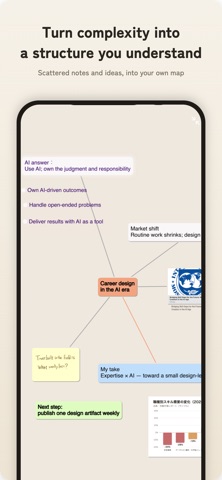
- Designing your career in the AI era, social media strategy, or product concepts
- Connecting visions and goals to concrete actions and reviews
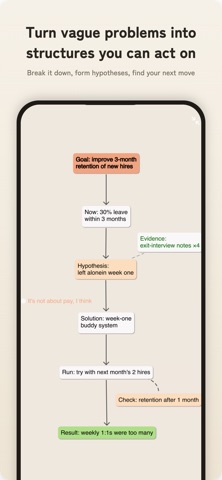
- Working through complex problems at work: causes, solutions, validation, results
■ Start from a purpose-built map
No need to stare at a blank canvas wondering where to begin.
- Concept map
- Problem-solving map
- Pathophysiology map
- Career map for the AI era
- Worldbuilding map
- Social media strategy map
- Habit-building map
- Product design map
- Vision map
and more — start from a foundation that fits your topic.
■ Turn AI chats into a growing map
Ask AI from a card and add the answers to your map. Instead of just reading responses, break them down, relate them, and rebuild them as your own understanding. Looking over the map sparks new questions — dig into them with AI again. Your AI inputs are never used for training.
■ Key features
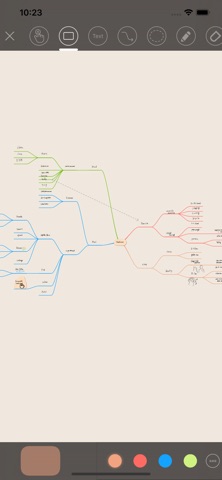
- Infinite canvas: place cards anywhere and work with unorganized thoughts as they are.
- Handwriting and text: Apple Pencil supported. Write like sticky notes and move them as you think.
- Mind maps, flows, groups, relation lines: express radial thinking, procedures, cause and effect.
- Ask AI and break answers into cards: turn answers into understanding you can explain.
- Extract key-point cards from text: turn long notes and web pages into material for thinking.
- AI brainstorming: generate a skeleton that widens your view. You fill in evidence and conclusions.
- Capture web pages, images, screenshots: place research inside your own topic.
- Search and reuse cards: find past fragments and recombine them in other maps.
- Link canvases: connect big themes and subtopics into layers of thought.
- Export to image, PDF, and text: output maps for reports, submissions, and sharing.
- Local-first: data is saved on your device first. Edit offline, export anytime.
- Sync across devices (Pro): grow the same maps on iPhone, iPad, and Mac.
Turn AI answers into understanding you can explain. Turn scattered information into a map that leads to your next decision and action.
Grow your own way of thinking with ThinkSpace.
■ Pro access
- Unlimited canvases
- Unlimited cards and groups
- Expanded AI usage limit
- Full feature access
———
Subscriptions renew automatically unless canceled at least 24 hours before the end of the current period. The renewal fee is charged to your iTunes account within 24 hours before the period ends. You can turn off auto-renewal anytime in your App Store account settings.
———
Terms of Service: https://thinkspace-public.s3.ap-northeast-1.amazonaws.com/terms-en.html
Privacy Policy: https://thinkspace-public.s3.ap-northeast-1.amazonaws.com/privacy-policy-en-v2.html