Write with confidence. Spectrum Sync is your AI social language coach for text messaging, chat, SMS, and email.
Worried your text sounds too blunt, too intense, or easy to misunderstand? Spectrum Sync gives you real-time tone coaching while you type — using the Spectrum Sync Keyboard in the apps you already use.
Built for neurodivergent users and anyone who wants clearer, kinder digital communication, Spectrum Sync helps you catch tone problems before you send.
WHAT SPECTRUM SYNC DOES
Spectrum Sync is an AI text coach and social communication helper. As you compose messages with the Spectrum Sync Keyboard, it coaches the sentence you're writing and offers friendly feedback:
• A yellow or red pill when your wording may land wrong (nothing pops up when it looks fine)
• A short warning on the pill
• Plain-language explanations of why
• Suggested rewrites you can tap to use
HOW IT WORKS
1. Complete quick in-app setup and accept the coaching disclosure
2. Add Spectrum Sync Keyboard in iOS Settings → General → Keyboard → Keyboards
3. Turn on Allow Full Access (required for AI coaching; it lets the keyboard reach cloud AI when Apple Intelligence isn't available)
4. In Messages or another app, switch to Spectrum Sync with the globe key
5. Type a sentence and pause, or end with . ! ? — if the AI spots something, a coaching pill appears above the keyboard
Not sure it's working? Setup includes a "Try it now" practice box.
KEY FEATURES
• Real-time AI tone coach for text messages and chat
• Social language feedback — bluntness, intensity, oversharing, and more
• Smart rewrite suggestions for clearer, warmer messages
• Adjustable sensitivity to match your communication style
• Pause coaching anytime
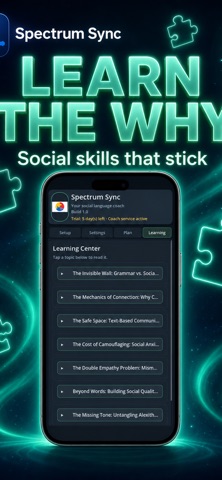
• Learning Center with social communication articles and tips
• On-device coaching with Apple Intelligence on supported iPhones running iOS 26 or later (private)
• Cloud AI (Google Gemini) when Apple Intelligence isn't available
• No ads. No account sign-in required.
PRIVACY & SAFETY
• Coaching works only when Spectrum Sync Keyboard is selected
• Skips secure/password fields
• Message content is not sent to analytics
• You control coaching with pause and Full Access settings
FREE TRIAL & PREMIUM
Your 7-day free trial starts when you first open the app and includes up to 25 cloud AI checks per day. Premium raises that to 150 per day. After the trial, AI coaching needs Premium, and basic on-device word checks keep working. Manage or cancel anytime in iOS Settings → Apple ID → Subscriptions.
WHO IT'S FOR
• Autistic and neurodivergent users navigating social text
• Anyone who overthinks before hitting Send
• People who want a message coach or text tone helper for everyday chat
• Users learning social communication skills in real conversations
IMPORTANT
Spectrum Sync uses a custom keyboard extension. Allow Full Access is required for AI coaching. It lets the keyboard reach cloud AI when on-device Apple Intelligence isn't available. It is never used for ads. Only the sentence being coached, plus a few recent sentences for context, is sent for cloud coaching, and secure/password fields are skipped. You will be guided through setup and disclosure before enabling it.
Subscription terms: Payment is charged to your Apple ID account at confirmation of purchase. Subscriptions automatically renew unless canceled at least 24 hours before the end of the current period. Your account will be charged for renewal within 24 hours prior to the end of the current period. You can manage and cancel subscriptions in your Account Settings after purchase. Any unused portion of a free trial is forfeited when you purchase a subscription.
Privacy Policy: https://orehruoy.github.io/SpectrumSyncIos/privacy-policy.html
End User License Agreement (EULA): https://www.apple.com/legal/internet-services/itunes/dev/stdeula/