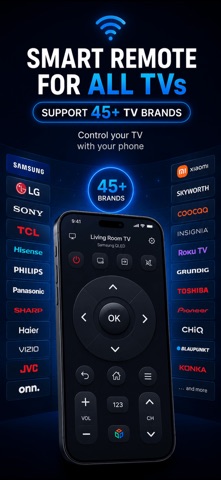
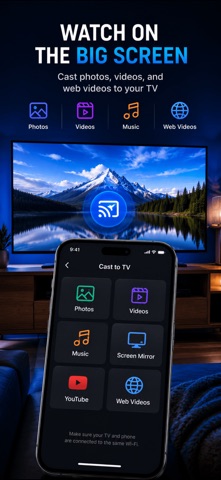
Turn your iPhone into a universal remote control for any Smart TV. Remote Control TV replaces all your physical remotes with one beautiful, easy-to-use app.
SUPPORTED TV BRANDS:
- Samsung Smart TV
- LG WebOS TV
- Sony Bravia TV
- TCL & Hisense Smart TVs
- Roku TV & Streaming Devices
- Amazon Fire TV
- NVIDIA SHIELD
KEY FEATURES:
- Auto-Discovery: Automatically finds Smart TVs on your Wi-Fi network
- Full Remote Control: D-pad navigation, volume, channel, power, and more
- Keyboard Input: Type text on your TV for search and login
- Number Pad: Quick channel entry with number keys
- Brand-Specific Controls: Custom buttons for each TV brand (Bixby, Smart Hub, etc.)
- iOS Widget: Control your TV right from your home screen
- Wake-on-LAN: Turn on your TV remotely
PREMIUM FEATURES:
- Touchpad Mode: Navigate like a laptop trackpad
- App Launcher: Launch Netflix, YouTube, and other apps directly
- Macros & Automation: Create one-tap routines (e.g., "Movie Night" = Power On + HDMI 2 + Netflix)
- Custom Layouts: Rearrange buttons to match your workflow
- Ad-Free Experience
- Unlimited TV Connections
HOW IT WORKS:
1. Connect your iPhone and TV to the same Wi-Fi network
2. Open the app — your TV is discovered automatically
3. Pair with one tap (Samsung: Allow on TV, LG: Enter PIN)
4. Start controlling your TV!
No hub, no extra hardware, no account required. Just your iPhone and your TV.
----------------
## Terms of Use
https://cuongproit.github.io/remote-control-tv-docs/terms.html
## Privacy Policy URL
https://cuongproit.github.io/remote-control-tv-docs/privacy-policy.html