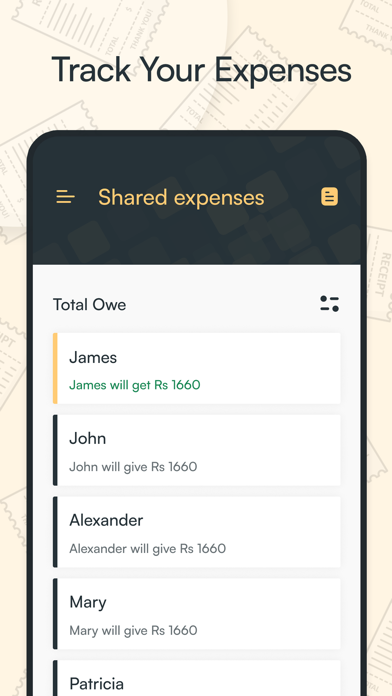
Create groups for different activities, add partners and expense categories to assign each person the cost down to the penny, and keep a track of shared expenses in one place.
Features:
User-friendly interface
Drag and drop features
Expense categorisation
Currency conversion
Create unlimited groups
Total spends
Offline mode
In-app sharing
Fetch contact list
Itemisation
Customer support and more.
The shared expense app has nifty features for users to manage their expenses from shared meals, tours, to recurring bills and more. All expenses for the group can be added up and split between members for easy payment. With a shared expense app, you can add multiple members to an expense along with the item name and its price, so the app will explicitly show who will give to whom.
For instance, if two people pay the bill for six, add all six to the expense to split a bill, the app counts who owes whom and how much. Alternatively, if the person owed the payment is paying in cash, you can record a cash payment to settle the outstanding amount. You can easily add partners along with their mobile numbers by fetching the contact list from your device.
Knowing who's ordering, and paying what amount including taxes can be time-consuming and stressful, especially if you're in a crowd where you’re splitting hundreds or thousands. The shared expense app allows you to split expenses online fairly so you don't have to worry about paying too little or too much when going out with a group of friends. The best expense managing app will keep the expense list of the total owed and who paid what on the move.
After adding payment details, the app will display the total spend and per head charges for added persons to easily split bill online. Amazingly, the app provides support to multiple currencies for instantly exchanging money wherever you are. Also, you can share the expense list with your companion fellows via the app. No need to register for an account. This is a feature that people especially like.
Install simple expense tracking app, and perform all the tasks you've been doing to pay your bills.