StoreIntel
AppsTop ChartsTrendingKeywordsMy Apps
Not affiliated with Apple Inc. App Store is a trademark of Apple Inc.Top chartsSupportTermsPrivacy

Seer PDF: Scan, Edit & Merge

HONG KONG WANHONG INTERNATIONAL LIMITED · Utilities · 7mo old

Free
◆ ProTrack this app App Store

Performance · Worldwide

Est. downloads / month · WW

<5K

Below chart threshold

Est. revenue / month · WW

<$5K

Below chart threshold

Rating · WW

3.7★

3 ratings

Chart position

Rank history — US · Top Free

Apple's Top Free chart — free apps ranked by recent downloads.

Top FreeTop Grossing

Ratings count — US

3
◆ Pro1 chart locked

See the numbers behind the rankings

  • Keyword RankingsWhich App Store searches it ranks for, and where
Unlock everything

Listing

About

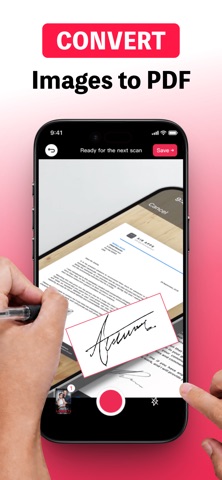
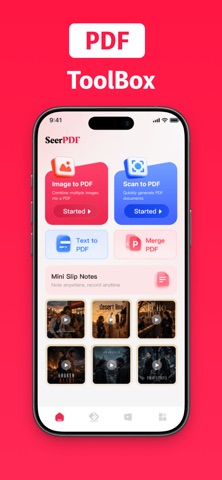
Create, scan, merge, and organize PDFs on your iPhone with Seer PDF. Turn paper documents, photos, and plain text into PDFs, manage local files, and use available iOS tools to view, mark up, and share documents. 【CREATE PDFs】 ● Scan multi-page documents with your camera. ● Adjust the crop for each scanned page. ● Combine multiple photos into one PDF. ● Turn plain text into a PDF. ● Merge two or more PDFs into one file. 【VIEW AND WORK WITH PDFs】 ● Open PDFs and browse page thumbnails. ● Use available iOS markup and PDF editing tools. ● Mark PDFs as favorites. ● Share PDFs through the iOS share sheet. 【ORGANIZE YOUR FILES】 ● Import PDFs from the Files app. ● Create folders and keep documents organized. ● View file details. ● Rename, copy, move, or delete local PDFs. 【LOCAL-FIRST】 Created and imported PDFs are stored locally in the app. Seer PDF is supported by advertising. If you encounter any problems or have suggestions, please contact ai1zutest@gmail.com. Your feedback is important to us. Terms of Service: https://ai.seerpdf.com/termsOfService.html Privacy Policy: https://ai.seerpdf.com/privacyPolicy.html
Released
Feb 24, 2026
Category
Utilities
Content rating
4+
Price
Free
In-app purchases
No
Developer site
WWUSGBDEJPINBR

No chart data

No rank history yet for this selection.

→
ai.seerpdf.com ↗

Screenshots

6
Seer PDF: Scan, Edit & Merge screenshot 1Seer PDF: Scan, Edit & Merge screenshot 2Seer PDF: Scan, Edit & Merge screenshot 3Seer PDF: Scan, Edit & Merge screenshot 4Seer PDF: Scan, Edit & Merge screenshot 5Seer PDF: Scan, Edit & Merge screenshot 6