[What is ScanSnap Home?]
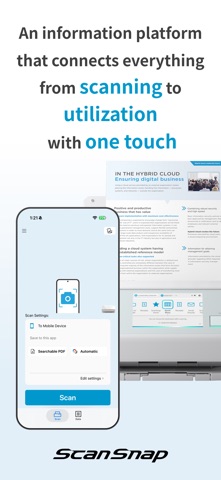
ScanSnap Home is a data management app that lets you easily use "ScanSnap" image scanners from your iPhone or iPad.
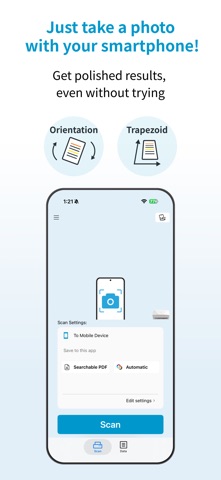
Even without a ScanSnap, you can capture paper documents using your smartphone's camera to save and use them as digital data.
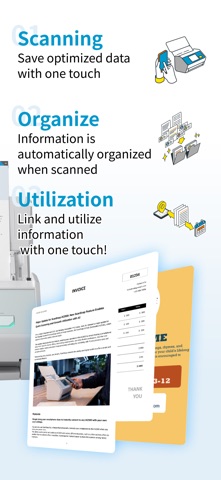
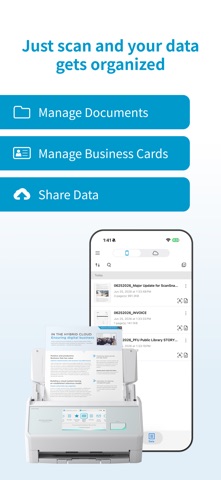
ScanSnap Home automatically converts paper documents, photos, and business cards into data that is easy to find, organized, and ready to use.
ScanSnap Home works seamlessly with cloud services and various apps, allowing you to use your important information securely and conveniently from anywhere.
When used with ScanSnap, ScanSnap Home supports even faster and higher-quality scanning.
[New Feature: ScanSnap Camera Support]
Now you can create scanner-quality images simply by taking a photo of a document with your smartphone.
Whether you are on the go or at home, you can digitize documents on the spot even without a ScanSnap device.
Thanks to the image processing and automatic processing technologies honed in the ScanSnap series, such as background removal, orientation correction, and automatic color detection,
you can save paper documents in a clear and well-organized format.
[Compatible Models]
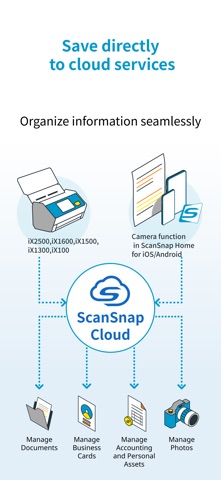
iX2500, iX1600, iX1500, iX1300, iX100
[ScanSnap Home Features]
・Use with just a smartphone
Even without a ScanSnap device, you can scan paper using your smartphone's camera and manage your data.
・Easy scanning with just a smartphone
When connected to ScanSnap, you can easily configure scan settings and perform scans from your smartphone. No computer is required.
・Automatic saving in the best format for your needs
You can save files in formats suited to your needs, such as PDF or JPEG.
・OCR-based search
You can perform full-text searches based on the recognized text.
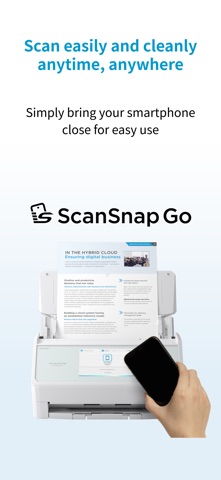
・ScanSnap Go for iX2500
Simply hold your smartphone near the ScanSnap to connect, and the connection information is automatically deleted after use.
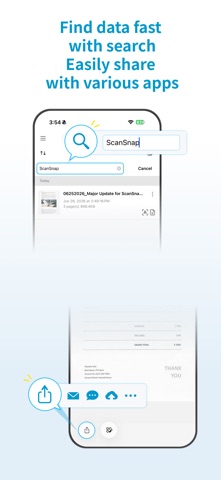
・Easy data search and viewing
You can instantly search and view saved data, so you can make use of it even when you're on the go.
・Easy sharing through apps
Easily share data through email, chat, and messenger apps.
・ScanSnap Cloud support
Scanned data is automatically categorized into "Documents", "Business Cards", "Receipts", and "Photos", and can be saved to cloud services.
Note: The ScanSnap Camera, OCR function, and ScanSnap Cloud service are only available in regions where the ScanSnap Cloud service is provided.
https://www.pfu.ricoh.com/global/scanners/scansnap/scansnap-cloud/country.html
[Recommended for users who want to...]
・Digitize paper documents without a scanner
・Scan without using a computer
・Check documents while on the go
・Easily share scanned data
・Manage business cards and documents digitally
・Organize information from paper documents so it can be searched right away
・Work primarily on a smartphone
[System Requirements]
The following are required to use this app.
・Wi-Fi environment for either a direct connection or a wireless LAN router
・Wi-Fi-enabled ScanSnap device (when using features that work with ScanSnap)
Note: The ScanSnap Go feature is available only on the iX2500.