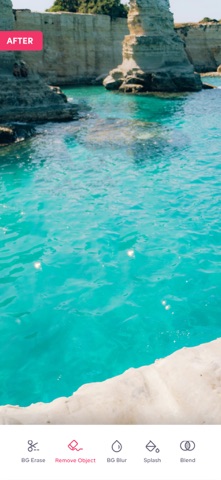
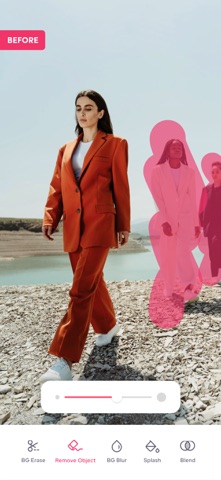
Looking for an online tool to remove the unwanted objects in the background of your pictures? With our exclusive Background Remover app, you can quickly remove the background from any of your photos while maintaining transparency. Craft your own perfect picture by removing the background and highlighting the subject and superimposing it over a new picture.
The background remover tool lets you highlight the topic of your photo while creating a translucent backdrop, allowing you to place your new image in a number of different styles and locations. Place it on a colourful backdrop or add a new background to totally transform your subject's surroundings.
This app is best in class since it includes automatic background area removal. Simply touch the area you want to remove, and the "Magic Wand" function will automatically remove the area of similar color. Use transparent images with other apps such as Keynote. Pages or more.
Key Features:
- Background eraser - Erase the backdrop of any photo and replace it with a fresh one.
- Object remover - Quickly remove unwanted objects in the background of your picture.
- Blur background - Blur the background of any picture of yours with just a few taps.
- Splash tool - Highlight or modify particular colors in your images to produce fantastic picture splash effects.
- Blend Tool - This allows you to create blends, which are a collection of intermediate items and colors between two or more chosen objects.
- Professional Photo Filters - Apply our high-quality, one-of-a-kind filters to your photos to create astonishing effects.
- Background opacity adjustments - Adjust the opacity of filters, layers, and effects as much as you want in the background of your picture.
Mixup your cropped images to get ultimate results.
You can add overlays on the photos for getting great results it will enhance your photos by adding additional art objects on your photos.
SUBSCRIPTION FOR PREMIUM FEATURES:
Remove Object offers 1 auto-renewing subscription options:
A 3-day trial then
Weekly $2.99 per Week
• Subscription automatically renews unless auto-renew is turned off at least 24 hours before the end of the current period
• Account will be charged for renewal within 24-hours prior to the end of the current period, and identify the cost of the renewal
• Subscriptions may be managed by the user and auto-renewal may be turned off by going to the user's Account Settings after purchase
• Any unused portion of a free trial period, if offered, will be forfeited when the user purchases a subscription to that publication, where applicable
Privacy policy:
https://bremoverapp.protool.app/bremoverapp/privacy-policy
Terms: https://bremoverapp.protool.app/bremoverapp/terms-conditions
Support URL
https://protool.app/bgremover/