The app features a powerful Page Capture with OCR, allowing parents to photograph pages, extract and edit text, and even see confidence percentages and alternative suggestions for improved accuracy. Parents can refine the text with simple tap and edit options, ensuring the story stays correct. For visual storytelling, photos of book illustrations can be added to any page. The read-aloud feature makes storytime engaging with smooth Text-to-Speech, word highlighting, adjustable speed, and easy playback controls—all synchronized perfectly to help early readers connect words with pronunciation. Interactive word navigation and progress tracking motivate children to read more, with progress bars, time metrics, and badges. Smart features like timers and automatic completion make reading habits enjoyable and rewarding. This app is the perfect companion for young readers to explore stories, develop reading skills, and have fun with every page!
Book Management
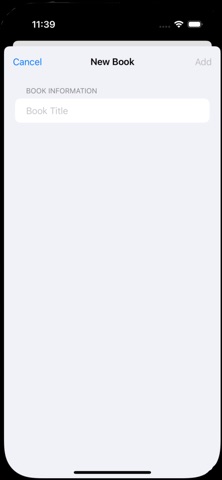
Create up to three books with custom titles
View all books in a master-detail layout
Delete books when no longer needed
Page Capture with OCR
Photograph book pages
Automatic text extraction
Edit extracted text if needed
OCR Correction:
Tap any word to edit it
See confidence percentage for each word
Alternative suggestions from OCR engine (top 3 candidates)
Quick selection of alternatives with visual feedback
Manual text editing if alternatives don't match
Associated Images
Add a photo to any page
Useful for capturing illustrations
Read-Aloud Features:
Text-to-Speech with Word Highlighting
Large, prominent "Read Aloud" button
Words are highlighted in yellow with bold text as they're spoken
Playback Controls
Play - Start reading the text
Pause - Pause reading (can resume)
Stop - Stop and reset to beginning
Adjustable Reading Speed
Slider control with tortoise (slow) and hare (fast) icons
Visual Feedback
Currently spoken word is highlighted
Highlighted text is bolded for extra emphasis
Large, readable font (24pt)
Smart Interface
Edit mode and read mode are separated
Text editor available for corrections
The highlighting synchronizes perfectly with the speech, making it easy for children to follow along as the app reads the book to them. This is great for early readers learning to associate written words with their pronunciation!
Word-by-word navigation:
Previous Word / Next Word buttons - Navigate through individual words
Tap any word to hear it - Interactive word pronunciation
Visual feedback shows which word is currently highlighted
Buttons are disabled intelligently when at start/end of text
Reading progress tracking:
Progress bar showing percentage of pages read
Total reading time displayed (hours and minutes)
"Last read" timestamp
Completion badge when all pages are finished
Completion date tracking
Checkmark on pages that have been read
Number of times each page has been read
Total time spent on each page
Automatic tracking when viewing pages (only counts if >5 seconds)
Reading stats card showing:
Times read
Total time
Completion status
Smart Features:
Timer automatically starts when viewing a page
Progress saved when leaving a page
Book automatically marked complete when all pages are read
Stats persist across app sessions
Visual indicators throughout the app showing progress
Better Image Management
comprehensive image editing feature with crop and rotate capabilities. Here's what's new:
Image Editor Features:
Edit Image button appears after capturing a photo
Full-screen image editor interface
Rotation Controls:
Rotate Left - 90° counter-clockwise rotation
Rotate Right - 90° clockwise rotation
Multiple rotations possible (0°, 90°, 180°, 270°)
Zoom/Scale Control:
Slider to zoom from 0.5x to 3x
Magnifying glass icons for intuitive control
Crop Functionality:
Apply Crop button to finalize the current view
Combines zoom and rotation into the final image
Reset button to start over with original image