Awarded PC Mag’s Editors’ Choice, Qustodio Parental Control App makes parenting easier with daily screen time limits, app blocking, kid tracking, AI powered search and message alerts, social media monitoring, porn blocking and more.
Start by downloading this Qustodio Parental Control App onto your device. Then download the Kids App Qustodio companion app onto your child’s device or devices. Our two monitoring apps work together to give parents all the tools they need to protect their kids online and encourage a healthy, balanced digital presence.
Parents, with Qustodio Parental Control App you can:
Protect your child’s online safety
• Filter web (block games, porn, gambling and block all unwanted content)
• Receive alerts about web activity and blocked websites
• Block games & apps
• Enforce safe search (filter out inappropriate results in search engines such as Google, Bing, YouTube)
• App insights
Nurture healthy habits
• Set daily screen time limits
• Schedule restricted times
• Pause the internet at the click of a button
• Set limits on games & apps
• Custom routines for apps and websites
Have full visibility
• Receive search alerts
• Receive SMS message alerts.
• Receive social monitoring alerts. (available WhatsApp, Instagram, and Line)
• 30-day online activity reports
• App download alerts
• Monitor Youtube activity
• Track calls
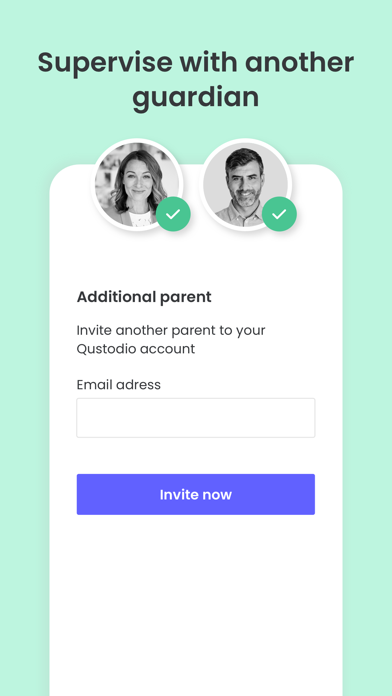
• Supervise together: Invite another parent/guardian to monitor and set rules for your child (co-parent)
Locate family
• GPS location monitoring (geolocation kid tracker)
• Find your child’s phone
• Locate kids on the move
• Share your location
• Save your favorite places
Choose Qustodio’s basic parental control plan to access some of these features, or upgrade to the premium plan for full access to all features
Qustodio Premium family parental control & screen time app is available with an annual subscription. Your payment will be charged to your iTunes account upon purchase confirmation and any unused portion of your free trial period will be ended. Your subscription will renew automatically and at the same cost unless auto-renew is turned off at least 24-hours before the end of the current period. To avoid being billed for an additional period, subscriptions must be canceled at least 24 hours before the end of the current period. You can manage your subscription and set auto-renewal to off by going to “Settings” on your iPhone or iPad.
If you have any questions or need help, contact us at info@qustodio.com
We take privacy and the protection of your family and children’s data extremely seriously. We do not and will not sell data to third-parties. Your child’s screen time activity is for your eyes only.
Our Terms of Use are available here: https://www.qustodio.com/family/terms/
The Qustodio family parental control & screen time app is available in English, Spanish, French, German, Italian, Chinese, Japanese Dutch & Brazilian Portuguese.