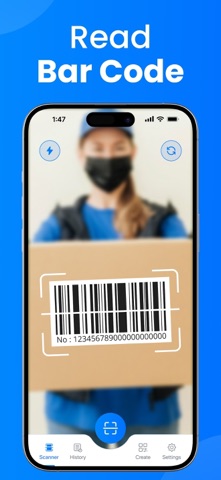
Discover the ultimate QR Code Scanner App for iPhone, designed to make scanning and creating QR codes fast, intuitive, and seamless. Whether you're a professional streamlining workflows, a casual user accessing digital content, or a business owner sharing links effortlessly, our QR Scanner app is your go-to tool for all things QR. Powered by cutting-edge technology, this QR Code Reader combines precision scanning with powerful QR Code Generator features, ensuring you stay connected in the digital world with ease.
Key Features of the QR Code Scanner App
Note: Paid Subscription is required to access all features of the app.
Lightning-Fast QR Code Reader
Our QR Code Reader uses advanced image recognition to scan QR codes in milliseconds, even in low-light conditions or at tricky angles. The QR Scanner supports all standard QR code formats, including URLs, contact cards (vCard), Wi-Fi credentials, and more, ensuring you can Scan QR codes.
Smart Scan History and Organization
The QR Code Scanner App saves every scanned QR code in a detailed history log, allowing you to revisit links, contacts, or data with ease. Categorize scans, add notes, or export them to other apps for seamless integration into your workflow. Never lose track of an important QR Code again.
Multi-Format Support
Beyond QR codes, the QR Reader also scans barcodes (e.g., UPC, EAN) for versatile use cases like product lookups or inventory management. The app automatically detects the code type, making it a one-stop solution for all your scanning needs.
Why Choose Our QR Code Scanner App?
iPhone-Optimized Performance: Leveraging your iPhone’s powerful camera and processing capabilities, the QR Code Scanner delivers unmatched speed and accuracy, making Scan QR a breeze.
Intuitive Interface: Designed for simplicity, the QR Reader offers a clean, easy-to-navigate interface that’s perfect for beginners and power users alike.
Regular Updates: Stay ahead with frequent updates that add new features, improve performance, and ensure compatibility with the latest QR code standards and iPhone models.
Ad-Free Premium Option: Enjoy an uninterrupted experience with an optional premium upgrade, unlocking advanced QR Generator customization and enhanced history management.
Perfect for Every Scenario
Business Owners and Marketers: Use the QR Code Generator to create branded QR codes for promotions, menus, or product details, driving customer engagement with a quick Scan QR.
Event Organizers: Generate QR codes for tickets or check-ins, and scan attendee codes with the QR Scanner for seamless event management.
Casual Users: Access menus, share contact info, or connect to Wi-Fi networks instantly with the QR Code Reader, simplifying everyday tasks.
Shoppers and Consumers: Scan product barcodes or QR codes to compare prices, read reviews, or access exclusive offers.
How to Get Started
Download the QR Code Scanner App from the App Store.
Open the app and point your iPhone camera at a QR code to Scan QR instantly.
Use the QR Code Generator to create custom QR codes for sharing.
Explore advanced features like barcode scanning or QR customization for a tailored experience.
Subscriptions: Certain features are only available after taking subscription.
To access all the premium features and content, you need to subscribe or pay once for lifetime access. The cost of the purchase is charged to your iTunes account.
Subscriptions automatically renew and are billed at the rate and period you choose based on your subscription plan. User accounts are charged for auto-renewal within 24-hours prior to the end of the current period.
Subscriptions may be managed and auto-renewal may be turned off in iTunes Account Settings after purchase. Any unused portion of a free trial period, if offered, will be forfeited when the user purchases a subscription to that publication, where applicable.
https://www.pdfexpert.top/terms-of-use-eula
https://www.pdfexpert.top/privacy-policy-apps