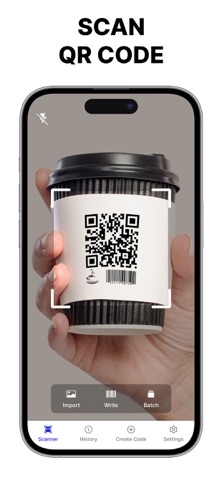
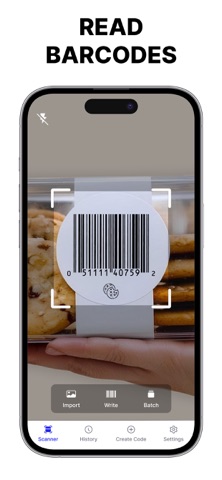
Turn your iPhone into an all-in-one portable scanner with QR NOW! Effortlessly scan, generate, and manage all types of QR codes and barcodes in seconds.
Whether you need to check product prices at the store, connect to Wi-Fi instantly, view nutritional info, or create custom QR codes for your social media and business, QR NOW provides a fast, reliable, and easy-to-use experience.
KEY FEATURES:
- FAST & EFFORTLESS SCANNING
• Scan any QR code or barcode instantly using your camera or photo library.
• Support for manual code/serial number entry.
• Batch Scanning (Pro): Scan multiple codes rapidly without extra taps.
- QR & BARCODE GENERATOR
• Create custom QR codes for URLs, Wi-Fi passwords, Emails, Phone Numbers, SMS, VCards, and Text.
• Generate social media QRs for Instagram, Facebook, TikTok, Spotify, Twitter, WhatsApp, and more!
• Create industry-standard barcodes including EAN-13, EAN-8, UPC-A, and UPC-E.
• Customize colors, patterns, and backgrounds to match your personal style or brand.
- SMART PRODUCT & PRICE LOOKUP
• Scan product barcodes to view detailed information, price history, discounts, and nutritional details.
• Make smarter shopping decisions on the go.
- ORGANIZED MANAGEMENT & EXPORT
• Save and organize your scanned codes into custom folders.
• Export your scan history to CSV files in just a few clicks.
• Fast search to find any past scan instantly.
- SUPPORTS ALL MAJOR FORMATS
Fully compatible with over 15 code formats:
Aztec Code, CodaBar, Code 32, Code 128, DataMatrix, EAN-2, EAN-5, EAN-8, EAN-13, EAN-14, ISBN-10, ISBN-13, JAN, MaxiCode, MicroPDF417, MicroQR, PDF417, UPC-A, UPC-E, and more.
---
WHY CHOOSE QR NOW?
- 100% accurate and lightning-fast scanning engine
- Clean, modern, and intuitive user interface
- Privacy-focused: your personal data stays safe
- Ad-free experience with Premium
Download QR NOW today and experience the ultimate QR & barcode scanner on iOS!
---
*** Upgrade to Premium to unlock unlimited scan & create QRCode/Barcode***
You can choose:
- a weekly subscription
- a weekly subscription (with 3-day free trial)
- a yearly subscription
– Payment will be charged to iTunes Account at confirmation of purchase (After free trial period if offered).
– Subscription automatically renews unless auto-renew is turned off at least 24-hours before the end of the current period.
– Account will be charged for renewal within 24-hours prior to the end of the current period, and identify the cost of the renewal.
– Subscriptions may be managed by the user and auto-renewal may be turned off by going to the user’s Account Settings after purchase.
– Any unused portion of a free trial period, if offered, will be forfeited when the user purchases a subscription to that publication, where applicable.
Privacy Policy: https://sites.google.com/view/scan-qr-code--barcode-reader/privacy-policy
Term of service: https://www.apple.com/legal/internet-services/itunes/dev/stdeula/
Support: https://sites.google.com/view/scan-qr-code--barcode-reader/support