QR Code Generator & QR Creator is a useful tool for generating QR codes. With the well-designed QR templates, you can easily generate QR codes for website links, text, Wifi, business card, SMS and social media accounts, etc.
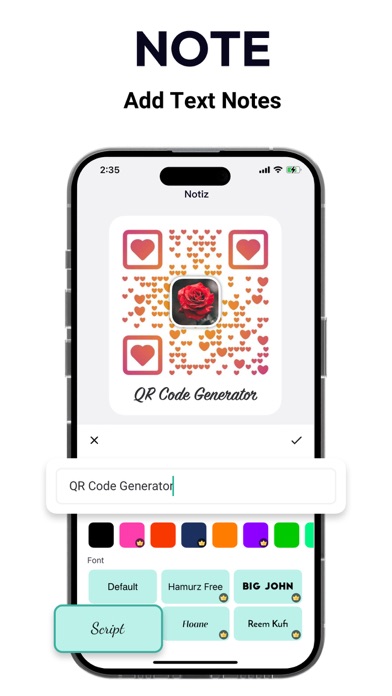
The QR Generator and QR Maker provide the accessibility to customize the QR codes by changing QR code colors, eyes, patterns, and frames. You can also add logos and texts to make your QR code better looking and attract more code scanners.
Have a try! Use this QR code generator to create a beautiful and special QR code!
Create QR Code:
Generate QR Code for different kinds of content. Such as website URL, contacts, text, Wifi, Business card, SMS, and social media accounts. Make information display simple.
Various Templates:
The QR Code Maker provides many kinds of well-designed templates. You can generate beautiful QR code in very simple steps. The template will constantly update to help you keep making beautiful and unique QR Codes.
Highly Customizable:
You can customize the QR Code with different colors, eyes, patterns, and frames to make QR Code in your own style.
- Color: We offer lots of solid colors to make the QR Code colorful
- Eyes: You can choose the QR code eyes to suit the overall style
- Patterns: Special patterns make special QR Codes
- Logo: You can also add your social portrait or company logos into your QR code to personalize it if you don’t like the logo we offer.
- Text: Making text notes under the QR Code you generate is what you need when you want to explain the QR Code well
All the customization options are to help your QR Code stand out and attract more attention.
QR Code Scanner:
Not only a QR Code Generator but also a great QR Code Scanner. You can scan QR Codes and Barcodes of any type. Scan Code from the Photo Library is supported as well. The content can also be shared and copied to your friends. Moreover, you can scan the existing QR code and decorate it to make it your own.
Diversified Export Settings:
The export settings allow you to export the QR Code you generated in multiple ways.
- Image Format: Support PNG/JPEG/WebP
- Image Size: Support X1 (800x800), X2 (1600x1600), X3 (2400x2400)
- Error Correction Level: Support 7%, 15%, 25%, 30%
If you have any questions, please contact us: qrcodegenerator@guloolootech.com
Terms of use:
https://guloolootech.com/terms-of-use
Privacy Policy:
https://guloolootech.com/privacy-policy