► Cut screen time by 80% in your first week
► Reclaim up to 3 hours a day for focused study, family, work or what matters most
► 98% of strict mode users have 60% less screen time
PushMore is a powerful app blocker that helps you block distracting apps, reduce screen time, and manage social media use so you can focus on what truly matters. Build healthier digital habits and make more room for life beyond your screen. Whether you want to boost productivity, unplug during your free time, or stay focused while studying, PushMore puts you in control.
► TAKE CONTROL OF YOUR SCREEN TIME
Spend less time doomscrolling and more time living. PushMore helps you block distracting apps, build healthier digital habits, and make space for focused study, productive work, and meaningful downtime. Set rules that fit your day and turn the urge to scroll into a positive action.
► WHY PUSHMORE?
– Block Distracting Apps: Take a break from social media, games, and other apps that pull you away from your goals.
– Study Without Distractions: Keep distracting apps blocked during homework, revision, and focused learning.
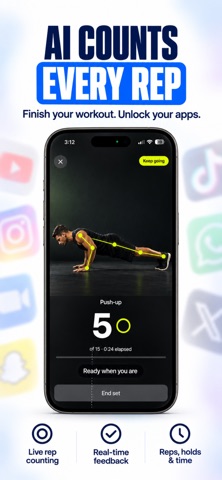
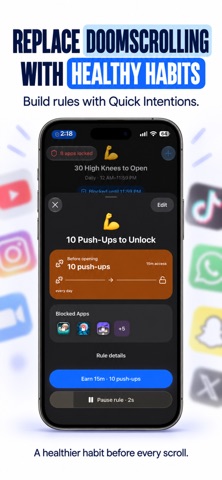
– Unlock with Intention: Complete a workout, try breathing exercises, or take a mindful pause before returning to your apps.
– Flexible Blocking Schedules: Plan distraction-free periods around your classes, work hours, and bedtime.
– App Open Limits: Choose how often you can open selected apps to reduce habitual checking.
– Daily Usage Limits: Set boundaries on how much time you spend in distracting apps.
– Hard Mode: Make your rules harder to undo when temptation strikes.
– Keep Essentials Available: Stay connected to the apps you need while blocking the ones you want a break from.
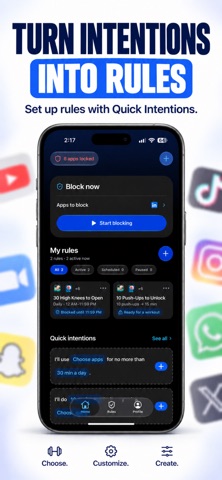
– Block Now: Start a focus session whenever you need to concentrate.
– Quick Intentions: Turn goals like “study without Instagram” or “do push-ups before scrolling” into simple app-blocking rules.
► MAKE ROOM FOR WHAT MATTERS
PushMore helps you create time for the things you want to do.
– Study Better: Give homework, exam preparation, and learning your full attention.
– Stay Productive: Spend less time checking your phone and more time making progress.
– Wind Down at Night: Set boundaries around bedtime scrolling.
– Move More: Turn scrolling breaks into opportunities for movement.
– Pause Mindfully: Make breathing and reflection part of your digital routine.
– Enjoy Your Free Time: Be more present for hobbies, family, and friends.
► MADE FOR SELF-CONTROL
PushMore is built for people who want better control over their own screen time. It is not a parental monitoring app. There are no complicated family dashboards or confusing controls - just simple tools to help you stay in charge of your phone.
START SMALL. PUSH MORE.
Choose one distracting app. Set one rule. Take back your first few minutes of attention.
With PushMore, access is no longer automatic. You earn it, choose it, and use it with intention.
Explore more movement challenges, routines, and advanced screen time controls with PushMore Pro.
LEGAL
Terms of Use: https://sumitk.net/terms/
Privacy Policy: https://sumitk.net/privacy/