ProScan – Your Smart PDF, Word & Text Scanning Assistant
ProScan helps you scan, convert, and manage documents quickly and professionally – right from your phone.
Whether you’re studying, working, or handling urgent paperwork, the app delivers a smooth, convenient experience for scanning, compressing, merging, splitting, and sharing files effortlessly.
KEY FEATURES
Smart Document Scanning
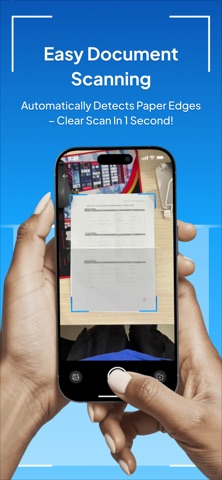
Open the camera to capture documents with auto edge detection.
Instantly convert images into PDF / Word / Text formats.
Edit before saving: crop, rotate, enhance, and apply black-and-white filters.
Export high-quality files, ready for sharing or printing.
Flexible PDF Compression
Reduce PDF file size without losing image quality.
Choose compression level: Low / Medium / High to fit your needs.
Save storage space and share files faster.
Easy PDF Merge & Split
Select multiple files and combine them into a single PDF in just a few taps.
Split PDFs by page range – fast, accurate, and convenient.
Efficient File Management
Rename, delete, share, or open PDFs directly within the app.
Keep your documents organized and easy to find.
View and interact with PDFs seamlessly.
ADVANCED IMAGE PROCESSING TECHNOLOGY
Automatically detects and aligns document edges using AI.
Enhances scan quality by reducing shadows and improving sharpness.
Accurately recognizes text (OCR), allowing you to extract content from images.
WHY YOU’LL LOVE ProScan
Turn paper documents into digital files in seconds.
Easily edit, compress, and merge your files.
Work and study efficiently — no computer needed.
Simple, clean interface that anyone can use.
DATA SECURITY
All files are stored locally on your device.
You can delete them anytime — no uploads to external servers.
No user data collection – complete privacy guaranteed.
PROSCAN IS PERFECT FOR:
Students and teachers who need to scan study materials.
Office workers, accountants, and administrative staff.
Individuals who want to quickly store or share documents.
Anyone who needs a convenient tool to scan, merge, compress, and manage PDFs anytime, anywhere.
ProScan – Faster, Smarter, and Safer Document Scanning!
Students and teachers who need to scan study materials.
Office workers, accountants, and administrative staff.
Individuals who want to quickly store or share documents.
Anyone who needs a convenient tool to scan, merge, compress, and manage PDFs anytime, anywhere.
—
ProScan Premium (auto-renewable subscription)
• Weekly – $2.99 / week
• Monthly – $9.99 / month
• Annual – $69.99 / year
Includes a 3-day free trial. Payment is charged to your Apple ID account. Subscription automatically renews unless canceled at least 24 hours before the end of the current period. Manage or cancel anytime in your App Store account settings.
Privacy Policy: https://privacy.pscds.com
Terms of Use (EULA): https://www.apple.com/legal/internet-services/itunes/dev/stdeula/