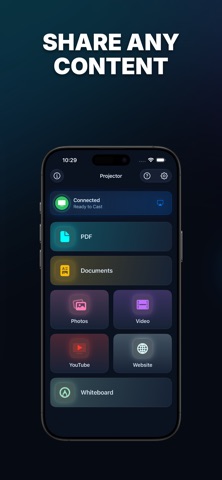
Turn your phone into a wireless projector. Mirror photos, PDFs, videos, websites and presentations to any AirPlay TV, projector or big screen — and present like a pro with a built-in laser pointer, slideshow timer and whiteboard.
MIRROR ANYTHING, INSTANTLY
• Stream to AirPlay-enabled smart TVs, streaming boxes and AirPlay receivers over Wi-Fi
• Plug-and-play with USB-C and other HDMI adapters — automatically detected
• Built-in AirPlay picker for one-tap connection
PRESENT ANY KIND OF CONTENT
• PDFs — full-page viewer with pinch-to-zoom and page navigation
• Photos & videos — pick multiple items, reorder them and present in any sequence
• Office documents — open .pptx, .docx, .xlsx and more in the built-in viewer
• Web browser — show any website in fullscreen
• YouTube — distraction-free in-app player
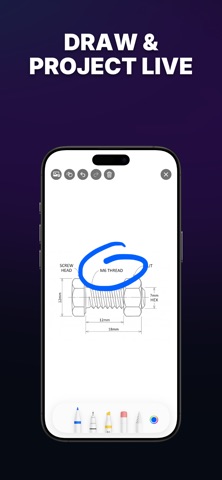
• Whiteboard — draw freehand, add photos and save your sketches
TOOLS FOR GREAT PRESENTATIONS
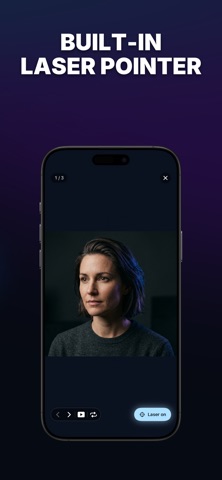
• Laser pointer — a glowing dot that follows your finger, in any color you choose
• Slideshow mode — auto-advance every 3, 5 or 10 seconds
• Page counter, manual stepping and loop replay
• Pinch-to-zoom for fine detail
BUILT FOR EVERYDAY USE
• Recents — jump back into anything you opened recently
• Files & Photos integration — import from anywhere on your device
• Dark, Light and System themes
• Haptic feedback for every action
ALWAYS-ON HELP
• AI Support chat — ask questions and get instant answers
• Built-in tutorial covers AirPlay and HDMI setup
• Email us anytime at info@frequency-analyzer.com
Privacy Policy: https://frequency-analyzer.com/privacy-policy-projectors/
Terms of Use: https://frequency-analyzer.com/terms-and-conditions-projector-app/