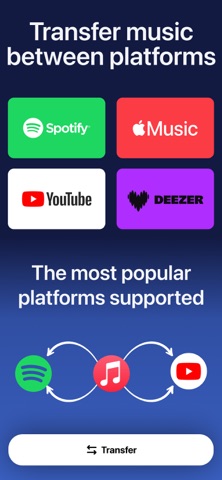
Playlist Transfer will help you to transfer your music from one platform to another. You can transfer your favorite albums, playlists, and songs to another music provider just in seconds with Playlist Transfer app. All you need to do is to connect your music services, choose the music you want to transfer and let Playlist Transfer app to discover compatible matches on the new music platform. Now you can enjoy your favorite music in your favorite platform
Playlist Transfer makes it super easy to transfer music to other platforms. Move your entire music library into a new music platform in seconds. Share music without limits! Works across all streaming apps. Share your playlist story on social media platform to let your friends discover new music and playlists. Playlist Transfer app supports many different music services such as Spotify, Apple Music, YouTube, Tidal and more are coming.
Frustrated with your streaming service? Download Playlist Transfer app now to transfer your favorite music across music platforms! Transfer your music from Spotify to Apple Music or Apple Music to Spotify. Don’t make your playlists again and again on every music service you use. Simply transfer your music with Playlist Transfer app.
How to Transfer Your Music with Playlist Transfer app?
1. Login with your current music platform such as Spotify, Apple Music etc.
2. Select the music platform that you want to transfer your music
3. Pick your favorite songs, albums, playlists that you want to transfer
4. Review and confirm the music transfer
5. Let Playlist Transfer app to transfer your music in seconds
Check your music stats with Playlist Transfer for Spotify Music Stats:
- Your top tracks, top artists and top albums
- How much you listen music on Spotify
- Music stats and song features (popularity, danceable, energetic…)
- Your lifetime Spotify streaming history for songs / artists / albums
- Personalized statistics for every song, artist, album on Spotify
- Find out popularity scores for every song, artist, album
- Discover new music with suggested songs
Supported Music Services
- Spotify
- Apple Music
- YouTube
- Soundcloud
- Deezer
Download now and transfer your first 50 songs for free!
Do you have any questions about Playlist Transfer app? We love receiving your feedback. You can reach us from:
hello@virals.app
You can find terms and privacy links of Playlist Transfer in here:
https://www.virals.app/terms
https://www.virals.app/privacy