Platinum Album Music Player (Platinum for short) is an alternate music album player with a unique style and features for the iPhone, iPod touch and iPad (universal app works on all your iOS devices). Interact with your albums in ways you haven't been able to before and gain a whole new appreciation for your music collection.
Platinum will show and play any songs/albums that are in your Music Library, either stored locally on your device or on iCloud. It does not require the Apple Music subscription itself.
FEATURES
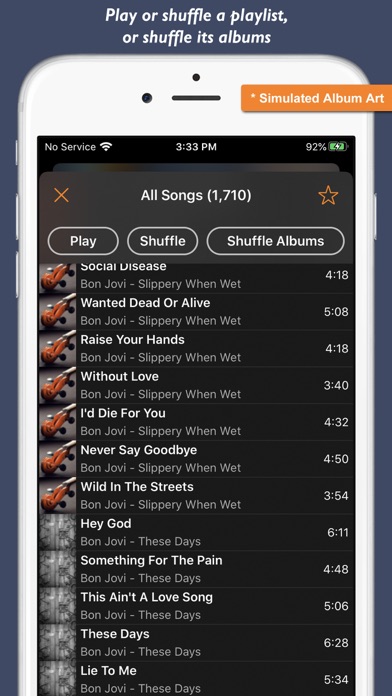
• Play or shuffle songs from any album, artist or playlist
• Shuffle albums while maintaining the order of tracks in the album
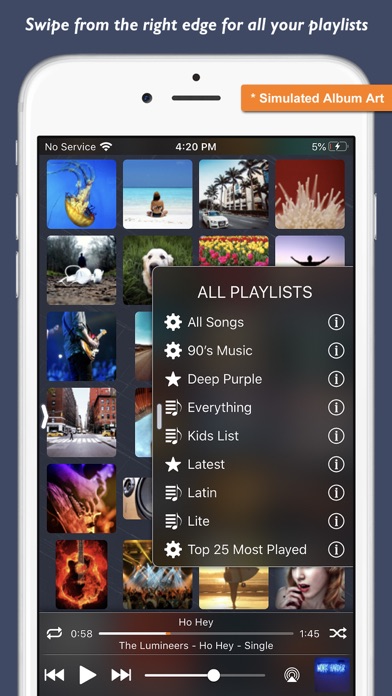
• Wall to wall album covers
• Custom Letter Index for quick access to your albums
• Album Size option (5 sizes on iPhone, 6 on iPad)
• Play and volume controls with AirPlay support
• Swipe from the left edge for options and actions
• Swipe from the right edge for your playlists
• Tap albums for track list, tap a song to play in album queue or play/shuffle whole album
• Tap and hold any album to drag and drop to play or shuffle
• Full screen cover art with gesture-based play controls
• Search for songs, albums or artists
• Mark playlists as favorites
• Quick Actions from iOS home screen including up to 2 favorite playlists
OPTIONS/ACTIONS
• Search
• Reload albums
• Album Size
• Order albums by artist
• Show iCloud music
• Show status bar
• Share what's playing
• Rate/Review app
• Send feedback
• What's New
Tap the album art on the Now Playing bar for the full-screen cover art.
COVER ART GESTURES
• Tap to hide/unhide controls
• 2-finger tap to play/pause
• Swipe left for next track
• Swipe right for previous track
• Swipe down to hide cover art
• Tap and hold on right of screen to seek forward
• Tap and hold on left of screen to seek backward
(this list is also available on the cover art page in the app)
All information about your songs, albums, artists, playlists is read from your Music Library. Any changes you make to your music library will be reflected in the Platinum app. Some changes are reflected automatically, such as playlist changes. For other changes, such as adding/removing songs, you can perform a Reload from within the Platinum app.
Please keep in mind that because Platinum uses the Music Library and its playlists and because certain music library actions are not available to 3rd party apps, you will not be able to perform some actions from within the Platinum app (but you can perform them from within the Music app itself if you need to). These include:
• Adding/removing songs to the library
• Adding/removing/editing/renaming playlists
• Updating album art
Please leave your feedback from within the app or via a review and let us know how you like the app and what else you'd like to see added.