StoreIntel
AppsTop ChartsTrendingKeywordsMy Apps
Not affiliated with Apple Inc. App Store is a trademark of Apple Inc.Top chartsSupportTermsPrivacy

PixelPencil - Pixel art editor

Yosuke Seki · Graphics & Design · 5.1y old

Free
◆ ProTrack this app App Store

Performance · Worldwide

Est. downloads / month · WW

<5K

Below chart threshold

Est. revenue / month · WW

<$5K

Below chart threshold

Rating · WW

4.6★

110 ratings

Chart position

Rank history — US · Top Free

Apple's Top Free chart — free apps ranked by recent downloads.

Top FreeTop Grossing

Ratings count — US

110
◆ Pro1 chart locked

See the numbers behind the rankings

  • Keyword RankingsWhich App Store searches it ranks for, and where
Unlock everything

Listing

About

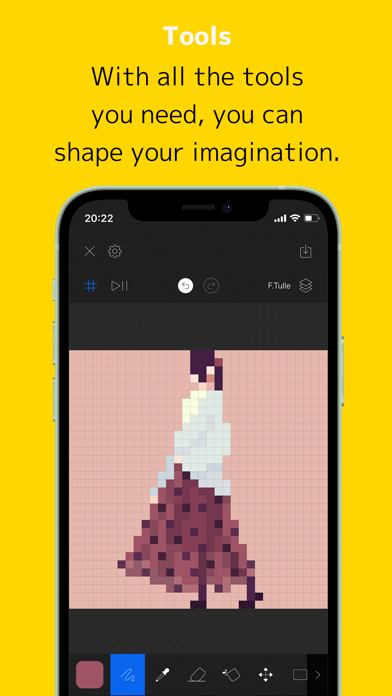
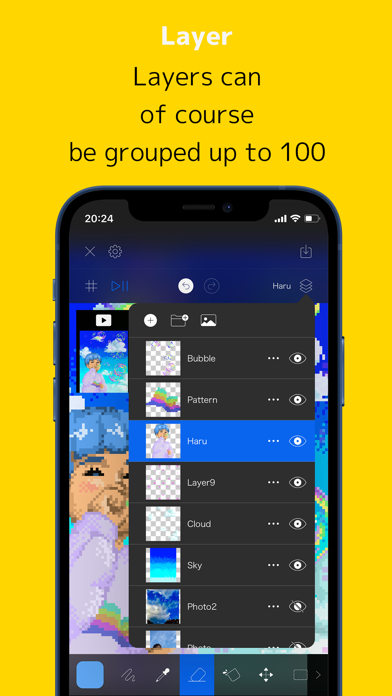
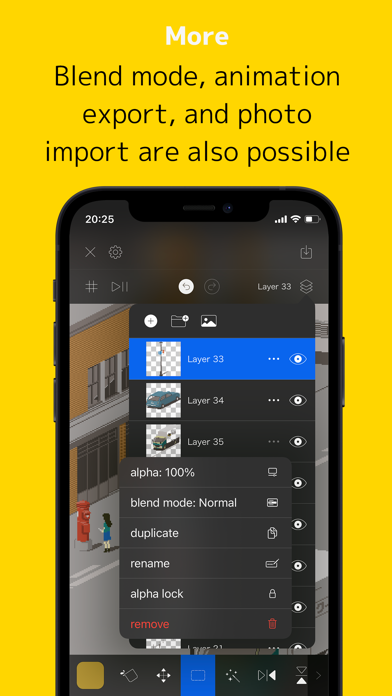
PixelPencil is an app that was created to comfortably draw pixel art. In addition to the layer function, there are also functions such as layer grouping and blend mode. You can pinch in and out to zoom in and out, and you can rotate the canvas for intuitive operation. The main functions are as follows. ・ Layer editing Add, delete, duplicate, show / hide, sort, transparent, blend, group There are abundant functions such as. ・ Various tools Pen, eyedropper, eraser, fill, move, selection, flip, rotate, scale, shape We have all the basic tools. ・ UndoRedo Of course you can also undo redo. ・ Animated GIF export function Each layer becomes one frame and you can create an animation. ・ Color creation You can easily create your own favorite color. ・ Pinch in / out You can zoom in and out and rotate by pinching in and out. ・ Saving multiple works Since it uses a file system, you can save multiple projects. You can also save it on iCloud. ・ Canvas size setting You can set any size from 5 * 5 to 512 * 512.

Released
Sep 7, 2021
Category
Graphics & Design
Content rating
4+
Price
Free
In-app purchases
No
Developer site
smooooth.net ↗
WWUSGBDEJPINBR

No chart data

No rank history yet for this selection.

→

Screenshots

7
PixelPencil - Pixel art editor screenshot 1PixelPencil - Pixel art editor screenshot 2PixelPencil - Pixel art editor screenshot 3PixelPencil - Pixel art editor screenshot 4PixelPencil - Pixel art editor screenshot 5PixelPencil - Pixel art editor screenshot 6PixelPencil - Pixel art editor screenshot 7