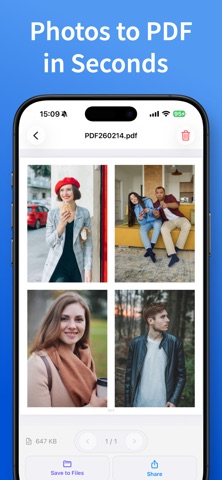
Photos to PDF turns photos, receipts and document shots into one PDF, in the order you picked.
Basic features are free; Pro is a one-time purchase, not a subscription. No watermark and no photo limit, even in the free version. Photo-to-PDF conversion runs on your device, and your photos are not uploaded for conversion.
Use it for
- Sending homework, forms or reports as a single PDF
- Keeping receipts four to a page for expenses or taxes
- Turning notes and whiteboard photos into documents
- Making a printable album from trip or fan photos
- Password-protecting a résumé before emailing it
Key features
- Import from Photos, Files, or the camera (document scanner with auto edge detection and multi-page capture)
- Order preserved as selected; sort by date taken, name, or reverse
- Presets (Document / Receipt / Album) and "Create now" to skip the settings
- Paper sizes: A3, A4, A5, A6, B4, B5, Letter, Legal, 3.5x5", 5x7", postcard
- Layouts: 1 to 16 images per page (2-in-1, 4-in-1, 9-in-1, hero + 3, 20 layouts in total; 4 or more per page requires Pro)
- Margins (None / Narrow / Wide / Custom), Fit or Fill
- Quality (Light / Standard / High) with an estimated file size before you create
- Crop, rotate, grayscale and black-and-white filters
- Page numbers, password protection, custom file names
- Manage created PDFs, share, save to Files
- Merge PDFs and reorder pages
Pro (one-time purchase)
Buy once, keep forever: 300 dpi output, layouts with 4 or more images, merge and reorder, fine margin control, file size limit (3 / 10 / 14 MB / custom), search and sort, no ads.