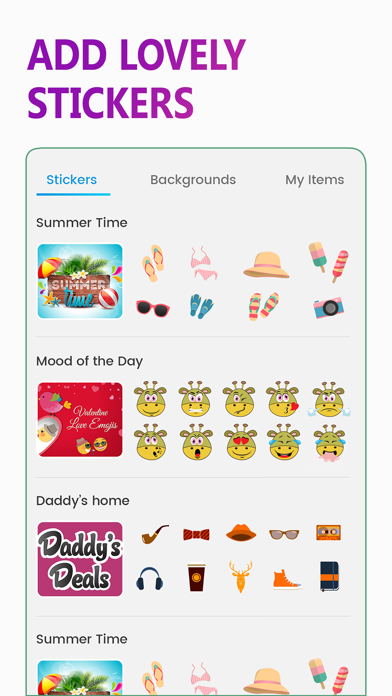
MixPics is a great, easy to use photo editor and collage maker that allows you to work wonders with your entire photo collection.
With a simple and intuitive set of photo editing tools, MixPics will help you get the best out of your own creativity.
Its simple editing tools are so easy to pick up and its card making and design suite means you can do much more than add stickers and backgrounds to your holiday photos.
Using MixPics, you can make free cards with the versatile Card Maker tool, adding photo frames to your treasured images and applying stylish patterns and backgrounds to create cards for every occasion. Create wonderful, original cards for wedding anniversaries, birthdays, Christmas, get well soon, farewell or just for fun to give to you friends and family.
With the Editor Maker tool, you can edit your entire collection of photos on your phone, wherever and whenever. If you want to add a different texture to a photo, MixPics can do that. If you’ve a mind to change the background or add patterns and designs to the pictures, MixPics can do that too. The only limit is your creativity – whatever you can cream up, MixPics is your friend.
But MixPics goes further than editing one single image at a time with the wonderful Collage Maker! Grab a bunch of your favorite pictures and add them to the collage maker, then let MixPics do all the work for you. Or take control and have it your way.
Create a photo collage that you’ll cherish for years to come or just have some fun with them by drawing on your collages – add moustaches, bushy eyebrows, red noses, the possibilities are endless!
With MixPics, you can share your photo collage, cards and edited photos on social media at the touch of a button. Post your creations to Facebook, Twitter and Instagram instantly and share them with your friends and family.
MixPics is truly the best photo editing app you’ll download. But be careful, once you start editing your photos it’s impossible to stop!
You can unlock all features, all backgrounds, all stickers, all cards via auto-renewable subscription:
we offer three auto-renewing subscription options: weekly subscription, monthly subscription, annual subscription.
By subscribing you get unlimited access to all MixPics Premium contents.
Your subscription will automatically renew at the end of each term and your credit card will be charged through your iTunes account.
You can turn off auto-renew at any time from your account settings but refunds will not be provided for any unused portion of the term.
Your account will be charged according to your plan for renewal within 24 hours prior to the end of the current period.
If you wish to avoid auto-renewal you must turn it off at least 24 hours prior to the end of the current period in your Account Settings.
Privacy policy and Terms of Use Page:
https://mixpics.stefrasoft.com
https://mixpics.stefrasoft.com/terms/privacy-policy