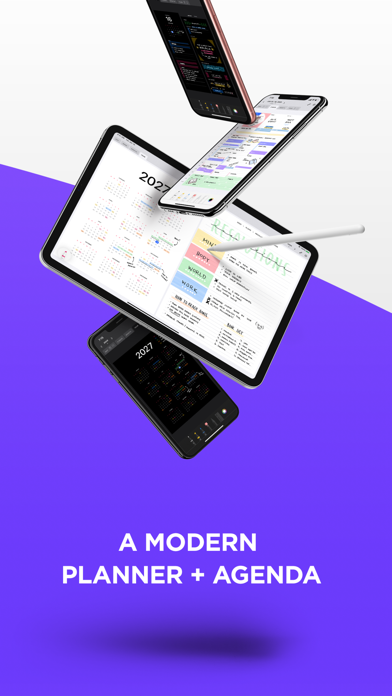
Write on your calendar with Apple Pencil. Pencil Planner brings the freedom of a paper planner to your digital calendar, so you can handwrite plans, highlight appointments, and take notes around the events already in your schedule.
Plan on iPad, then check your calendar and handwritten plans on iPhone. Cloud backup and sync keep your planner and notes connected across devices.
YOUR CALENDAR, WITH ROOM TO WRITE
* See events from the calendars you use with Apple's Calendar app
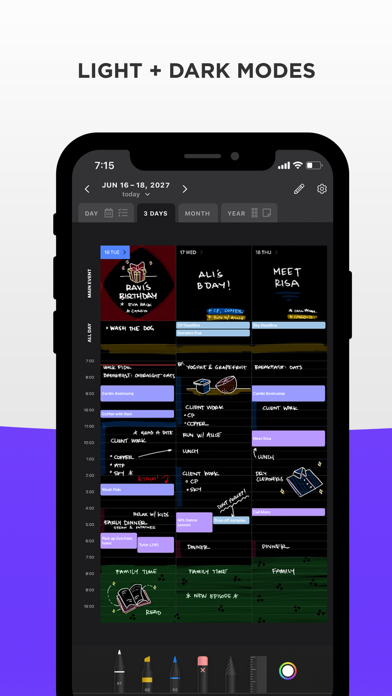
* Write directly over and around your calendar events
* Bring tasks into your planner with Apple Reminders integration
* Add handwritten priorities, time blocks, and sketches
PLAN YOUR DAY, WEEK, MONTH, AND YEAR
* Bring your schedule, tasks, and linked notes together in Day view
* Plan your week, highlight important dates, and see the year ahead
* With Version 2 layouts, schedule handwriting is shared between Day and Week, and daily highlights appear in Day, Week, and Month
KEEP NOTES WITH YOUR PLANS
* Create handwritten or typed notes for meetings, classes, projects, and ideas
* Link notes to dates or calendar events and open them alongside your day
* Organize notes into folders and pin your favorites
* Add pages to handwritten notes with blank, lined, or dot-grid paper
MAKE IT YOUR OWN
* Write with Apple Pencil, Logitech Crayon, or your finger
* Choose pens, pencils, and highlighters with adjustable colors and thickness
* Move handwriting, erase whole strokes or parts of them, and undo or redo changes
* Pinch to zoom for precise writing
* Use light or dark mode in portrait, landscape, or Split View
PRO ACCESS
Unlock all planner features with a monthly or annual Pro Access subscription, including unlimited entries, storage, and devices, plus cloud backup and sync. Subscription prices and any available trial offers are shown in the app.
QUESTIONS?
Contact support@pencilplanner.app with questions or feature requests.
Terms of use: https://pencilplanner.app/terms-of-use/