PDFgear Scan is a feature-rich PDF Scanner App that digitizes all your documents and simplifies your life. It can transform your iPhone or iPad into a powerful and portable scanner, extract texts and data from the document with cutting-edge OCR technology and advanced editing capabilities, and share the scanned document as PDF, Word, TXT, or images effortlessly.
PDFgear Scan boosts productivity and saves time for anyone who works with documents: lawyers, officers, realtors, managers, students, accountants, and more. Download PDFgear Scan now to streamline your workflow and experience the most convenient way to store, manage, and share all your paper documents.
Key Features:
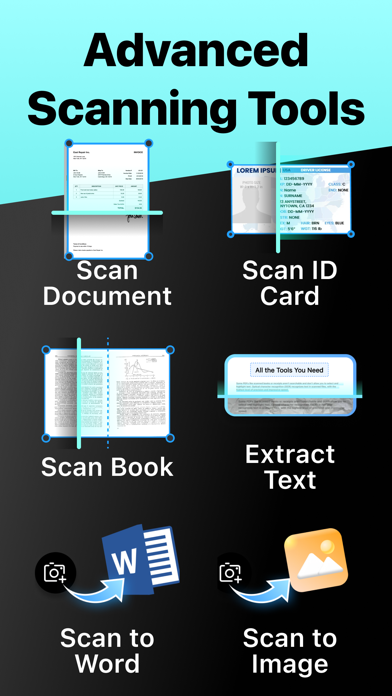
Smart Document Scanner
- Capture documents, remove cluttered backgrounds, and deskew in one step automatically
- Scan multiple pages into one file easily
- Scan with the device’s cameras or stored photos
- Save scans as PDF, Word, or image files
Multi-Scanning Modes for Every Need:
– Receipts & Expense Reports: Effortlessly scan receipts, automatically categorize expenses, and generate professional reports in seconds. Simplify your bookkeeping and tax prep!
– ID & Passport Scan: Securely capture and store IDs, passports, and other vital documents with a specialized, high-speed mode designed for accuracy and convenience.
– Book & Magazine Scan (with Smart Flattening): Digitize entire books and magazines with ease. Our innovative "Book Mode" automatically flattens curved pages, ensuring crystal-clear, perfectly aligned scans every time.
– QR & Barcode Reader: Instantly scan any QR code or barcode with your camera. Get quick access to websites, product information, and more.
Powerful Editing Tools
- Crop or rotate the captured images with a simple tap
- Apply filters to enhance the quality of scanned documents
- Create and insert signatures into documents, perfect for professionals dealing with contracts
Advanced OCR Capabilities
- Recognize and extract texts from documents using OCR technology
- Export the OCR result to Word or TXT and share with others
- Auto-split the OCR results for optimal layout
Page Management & Scan Organization
- Add, rotate, delete, and reorder pages with ease
- Manage and rename scans in list view for quick access
Flexible Sharing Options
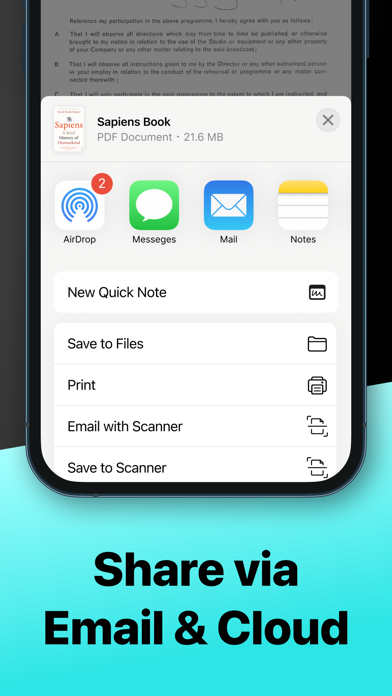
- Share scanned documents in formats like PDF, Word, Images, or a long image based on your needs
- Collaborate with others by sharing files through Airdrop, Email, messaging apps, and more
AI Chat for Instant Document Insights:
– Ask AI Anything About Your Scans: Have questions about a scanned document? Our integrated AI chat allows you to instantly ask anything about your captured text – from summarizing key points to extracting specific information. It's like having a personal document assistant!
PDFgear Scan revolutionizes the way you handle paperwork, offering a seamless scanning experience. Embrace the convenience of PDFgear Scan and elevate your document management efficiency now.
Terms of service: https://www.pdfgear.com/terms-conditions/
Privacy Policy: https://www.pdfgear.com/privacy/
Contact us at https://www.pdfgear.com/contact-us/